Got a tip for us?

Abigail Shilets

Abigail is a staff writer for GeeksModo based in Pennsylvania. She covers news, how-tos, and user guides for iPhone, iPad, Mac, and Apple Watch. Before becoming a writer Abigail studied computer science at University and also worked at Apple for more than two years. When not creating masterpiece for GeeksModo, you can usually find Abigail hiking, climbing, or otherwise unplugged.

Abigail Shilets's Articles

The Phone app showing call options. The Answer on iPhone button is at the top and a suggested reply is below.

How to make and receive FaceTime audio calls on Apple Watch

You can make and receive FaceTime audio calls on Apple Watch from Messages, and add more people to a call.
A notification is shown on iPhone that Name Recognition recognized a sound that may be a name.

How to recognize sounds using Apple Watch

You can recognize sounds using Apple Watch, like a doorbell, siren, or crying baby, and get notified when Sound Recognition hears them.
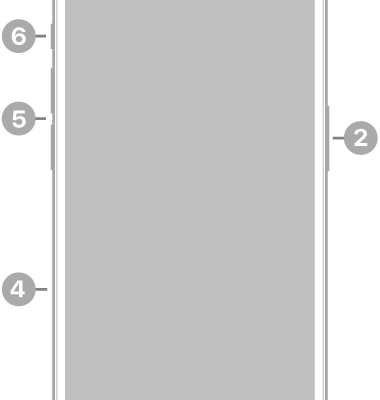
The front view of iPhone 15 Pro. The front camera is at the top center. The side button is on the right side. The USB-C connector is on the bottom. On the left side, from bottom to top, are the SIM tray, the volume buttons, and the Action button.

iPhone 15 Pro hardware: buttons, cameras, and ports

You can find the cameras, buttons, and other essential hardware features on iPhone 15 Pro, plus links to help you get started.
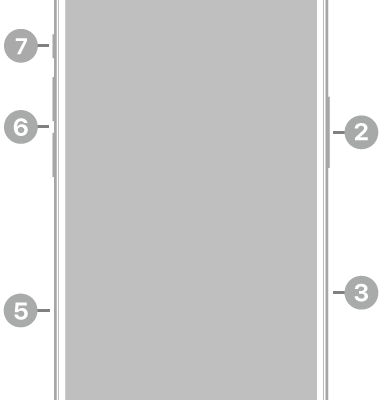
The front view of iPhone 16. The front camera is at the top center. The side button and the Camera Control are on the right side. The USB-C connector is on the bottom. On the left side, from bottom to top, are the SIM tray, the volume buttons, and the Action button.

iPhone 16 hardware: buttons, cameras, and ports

You can find the cameras, buttons, and other essential hardware features on iPhone 16, plus links to help you get started.

The Lock Screen on iPhone with a message at the top reading "Moved to Mac" and a button to switch the AirPods back to iPhone.

How to switch AirPods between Apple devices

You can switch AirPods between Apple devices automatically or manually, switch back to iPhone or iPad, and keep AirPods from switching.
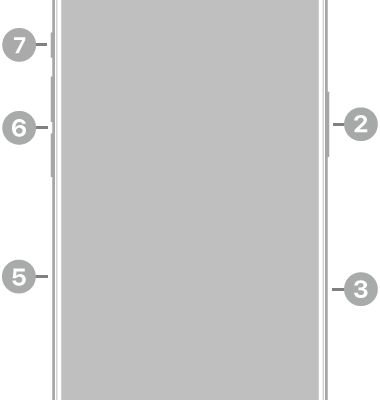
The front view of iPhone 16 Pro. The front camera is at the top center. The side button and the Camera Control are on the right side. The USB-C connector is on the bottom. On the left side, from bottom to top, are the SIM tray, the volume buttons, and the Action button.

iPhone 16 Pro hardware: buttons, cameras, and ports

You can find the cameras, buttons, and other essential hardware features on iPhone 16 Pro, plus links to help you get started.

The front view of iPad Pro with callouts to the front camera at the top center, the top button at the top right, and the volume buttons on the right.

iPad Pro 12.9-inch (4th generation) hardware: buttons, cameras, and ports

You can learn the location of the cameras, buttons, and other essential hardware features on iPad Pro 12.9-inch (4th generation).
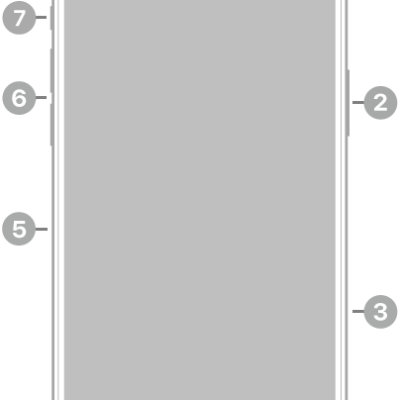
The front view of iPhone 16 Pro Max. The front camera is at the top center. The side button and the Camera Control are on the right side. The USB-C connector is on the bottom. On the left side, from bottom to top, are the SIM tray, the volume buttons, and the Action button.

iPhone 16 Pro Max hardware: buttons, cameras, and ports

You can find the cameras, buttons, and other essential hardware features on iPhone 16 Pro Max, plus links to help you get started.
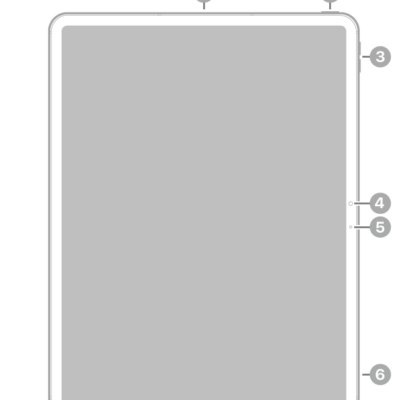
The front view of iPad Pro with callouts to the top button and Touch ID at the top right, the volume buttons at the top right, the front camera at the center right, and the microphone on the right and top center.

iPad Pro 13-inch (M5) hardware: buttons, cameras, and ports

You can learn the location of the cameras, buttons, and other essential hardware features on iPad Pro 13-inch (M5).
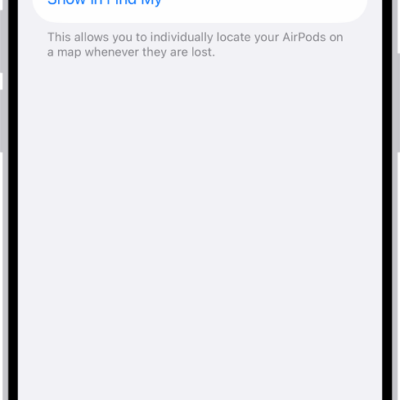
Bluetooth settings on an iPhone showing options for AirPods Pro. The Find My Network option is on, which allows AirPods to be located individually on a map whenever they're lost.

How to change settings for AirPods or AirPods Pro

You can change AirPods Pro settings, and settings for other AirPods, on iPhone, iPad, or Mac, including press and hold actions and ear detection.