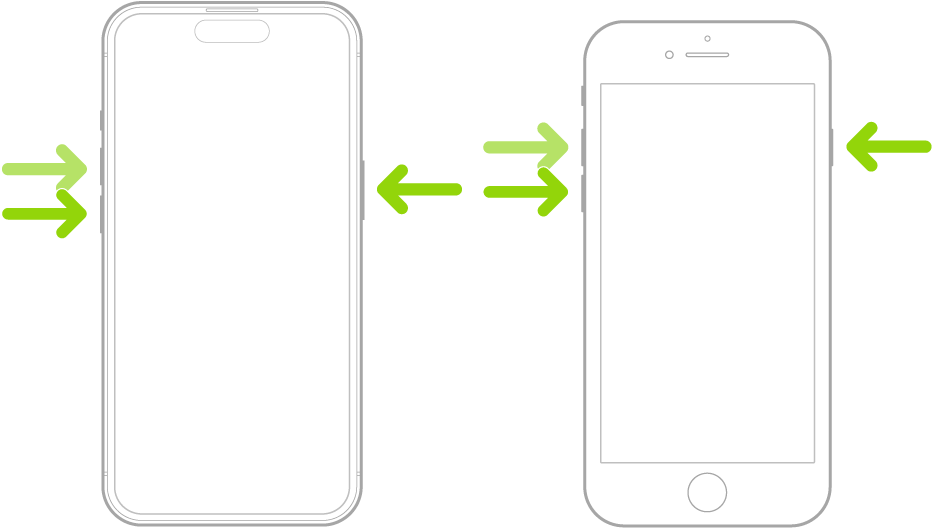
If iPhone isn’t responding, and you can’t turn it off then back on, try forcing it to restart. A force restart uses the volume up button, the volume down button, and the side button on your iPhone. When the Apple logo appears, you’ll know it’s restarting.
- Press and quickly release the volume up button.
- Press and quickly release the volume down button.
- Press and hold the side button.
- When the Apple logo appears, release the side button.
Tag: iPhone