Got a tip for us?

Emily Long

Emily is a staff writer at GeeksModo, and is interested in all things Apple. This includes its best products such as the iPad, iPhone, Mac, AirPods, and Apple Watch. When she’s not tinkering with the latest Apple gear, you’ll find her watching movies, taking pictures on her Sony A7 and exploring the great outdoors.

Emily Long's Articles

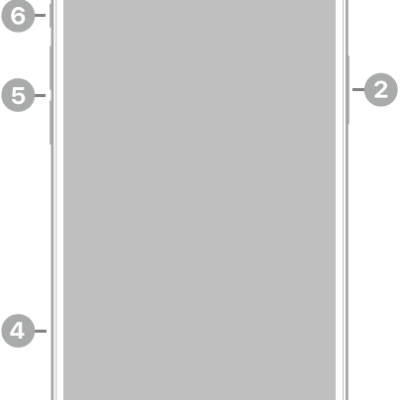
The front view of iPhone 14 Plus. The front camera is at the top center. The side button is on the right side. The Lightning connector is on the bottom. On the left side, from bottom to top, are the SIM tray, the volume buttons, and the Ring/Silent switch.

iPhone 14 Plus hardware: buttons, cameras, and ports

You can find the cameras, buttons, and other essential hardware features on iPhone 14 Plus, plus links to help you get started.
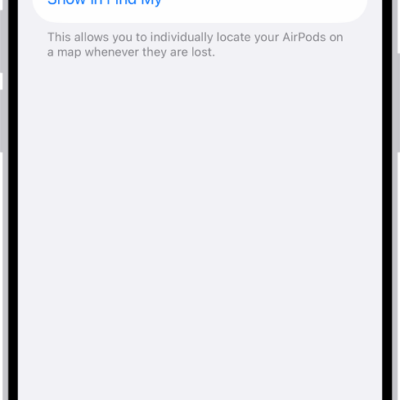
Bluetooth settings on an iPhone showing options for AirPods Pro. The Find My Network option is on, which allows AirPods to be located individually on a map whenever they're lost.

How to get information about your AirPods

You can get information about your AirPods, like the model name, serial number, and firmware version, on iPhone, iPad, or Mac, or on the AirPods.
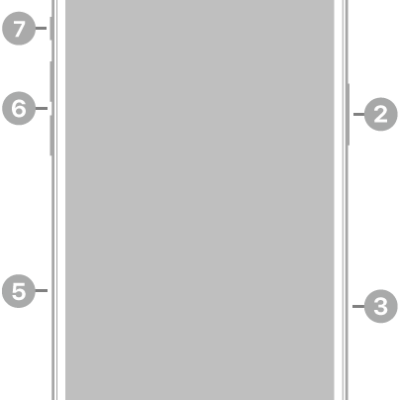
The front view of iPhone 16 Plus. The front camera is at the top center. The side button and the Camera Control are on the right side. The USB-C connector is on the bottom. On the left side, from bottom to top, are the SIM tray, the volume buttons, and the Action button.

iPhone 16 Plus hardware: buttons, cameras, and ports

You can find the cameras, buttons, and other essential hardware features on iPhone 16 Plus, plus links to help you get started.
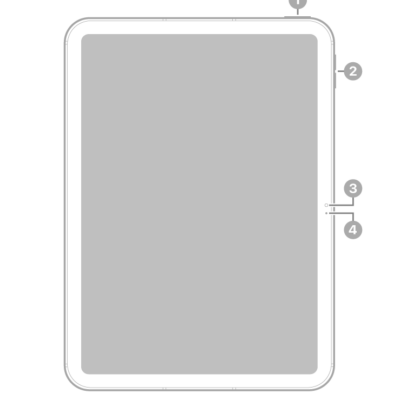
The front view of iPad with callouts to the top button and Touch ID at the top right. The volume buttons, front camera, and microphone are on the right side.

iPad (A16) hardware: buttons, cameras, and ports

You can learn the location of the cameras, buttons, and other essential hardware features on iPad (A16).
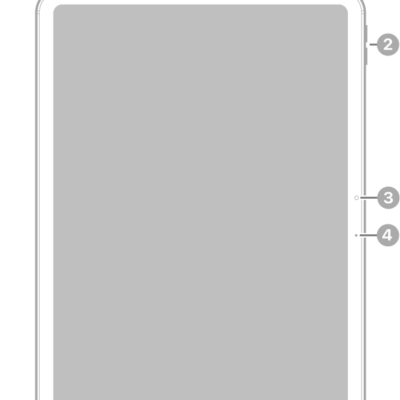
The front view of iPad Air with callouts to the top button and Touch ID at the top right, the volume buttons near the top right, the front camera at the center right, and the microphone on the right.

iPad Air 11-inch (M4) hardware: buttons, cameras, and ports

You can learn the location of the cameras, buttons, and other essential hardware features on iPad Air 11-inch (M4).
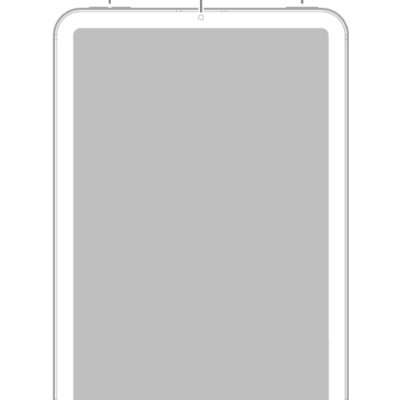
The front view of iPad mini with callouts to the volume buttons at the top left, the front camera at the top center, and the top button and Touch ID at the top right.

iPad mini (6th generation) hardware: buttons, cameras, and ports

You can learn the location of the cameras, buttons, and other essential hardware features on iPad mini (6th generation).
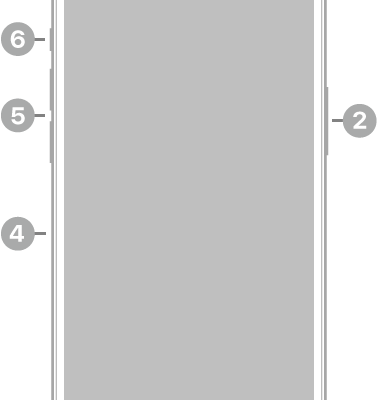
The front view of iPhone 14 Pro. The front camera is at the top center. The side button is on the right side. The Lightning connector is on the bottom. On the left side, from bottom to top, are the SIM tray, the volume buttons, and the Ring/Silent switch.

iPhone 14 Pro hardware: buttons, cameras, and ports

You can find the cameras, buttons, and other essential hardware features on iPhone 14 Pro, plus links to help you get started.
Bluetooth settings on an iPhone showing options for AirPods Pro. The Find My Network option is on, which allows AirPods to be located individually on a map whenever they're lost.

How to rename your AirPods

You can rename your AirPods using your iPhone, iPad, or Mac, and the new name is updated on every device signed in to your Apple Account.
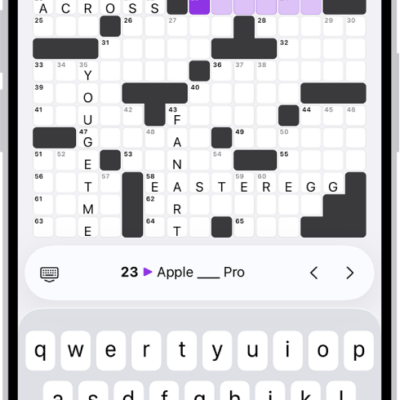
A partially filled crossword puzzle, with controls above it, and a keyboard open at the bottom.

How to solve crossword and crossword mini puzzles in News on iPhone

You can solve a new crossword and crossword mini in News on iPhone every day, in grid or list view if you subscribe to Apple News+.
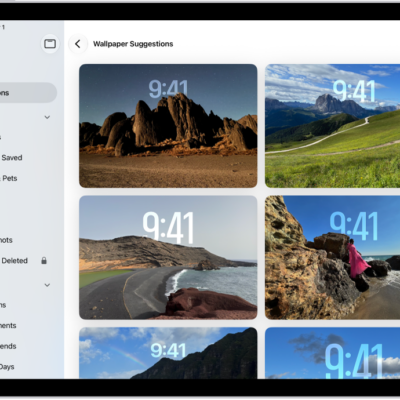
Wallpaper Suggestions is open in the Photos app. Automatically generated combinations of photos, filter effects, and clock face fonts appear as suggestions.

How to get wallpaper suggestions in Photos on iPad

You can get wallpaper suggestions in Photos on iPad that stylize photos of your favorite people and pets for your Lock Screen or Home Screen.