Got a tip for us?

Emily Long

Emily is a staff writer at GeeksModo, and is interested in all things Apple. This includes its best products such as the iPad, iPhone, Mac, AirPods, and Apple Watch. When she’s not tinkering with the latest Apple gear, you’ll find her watching movies, taking pictures on her Sony A7 and exploring the great outdoors.

Emily Long's Articles

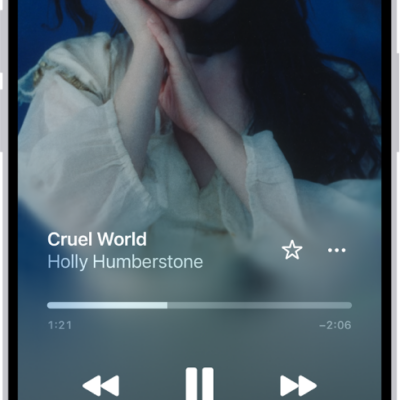
The Now Playing screen showing the various controls and buttons.

How to use the music player controls on iPhone

You can control music on iPhone with the MiniPlayer and the Now Playing screen, and stream it to Bluetooth or AirPlay devices.

A burgundy iPhone 18 Pro with coordinating case is paired with a magenta Crossbody Strap.

How to set up your Game Center profile in the Apple Games app on iPhone

You can set up and edit your Game Center profile in the Apple Games app on iPhone and manage who can connect with you.
A burgundy iPhone 18 Pro with coordinating case is paired with a magenta Crossbody Strap.

How to play with friends in the Apple Games app on iPhone

You can challenge friends, compete on leaderboards, and play together during FaceTime calls in the Apple Games app on iPhone.
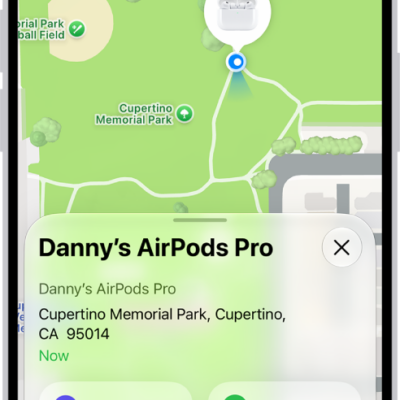
A screen from the Find My app on iPhone. The location of AirPods Pro is shown on a map of Cupertino, along with an address listed and the options Play Sound, Directions, and Settings.

How to find your AirPods

You can find your AirPods with Find My, turn on separation alerts, see them on a map, play a sound, and mark them as lost.
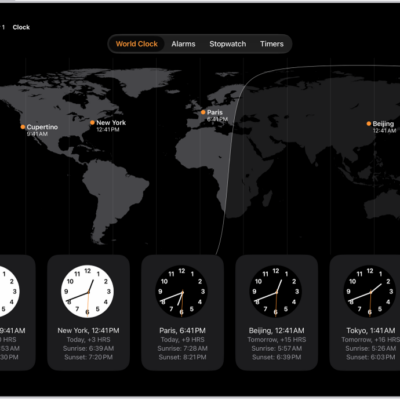
The World Clock tab, showing the time in various cities. The Edit button near the upper-left corner lets you reorder or delete clocks. The Add button near the upper-right corner lets you add more clocks. World Clock, Alarm, Stopwatch, and Timers buttons are along the bottom.

How to see the time worldwide in Clock on iPad

You can see the time worldwide in Clock on iPad, add and reorder cities, and ask Siri for the time in another city.
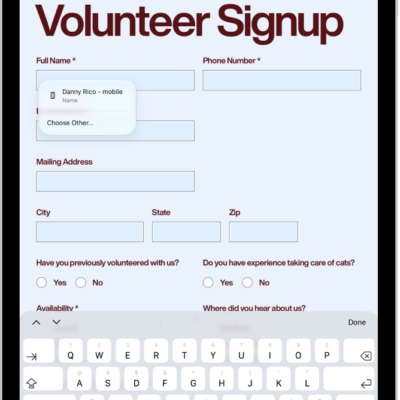
A screen showing a PDF form in the Preview app with fillable fields highlighted. At the bottom of the screen are the Add Annotation, Markup, AutoFill, Crop, Info, Share, and Search buttons. The AutoFill button is selected.

How to customize the toolbar in Preview on iPad

You can customize the toolbar in Preview on iPad by dragging buttons into or out of it from the View menu.
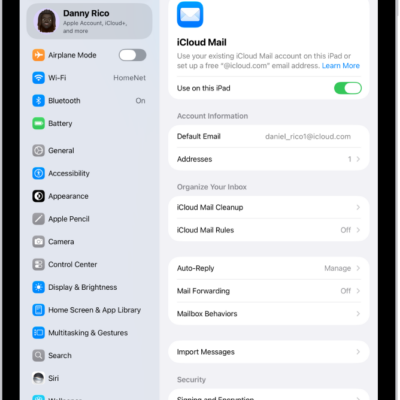
The Settings app, open to the iCloud Mail screen. Custom Email Domain is at the bottom of the menu.

How to automatically clean up your iCloud Mail inbox on iPad

You can automatically clean up your iCloud Mail inbox on iPad with iCloud Mail Cleanup, deleting old promotions and unsubscribing from lists.
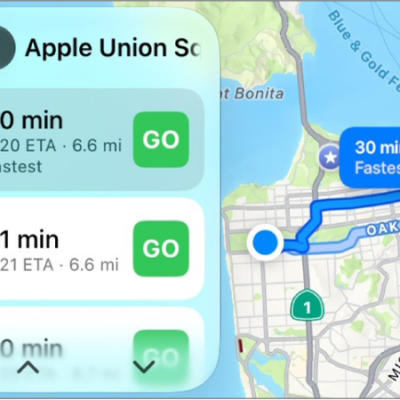
CarPlay showing Maps, Music, and Calendar in the Sidebar. On the right is a map showing two different navigation routes to get from point A to point B.

How to get turn-by-turn directions with CarPlay

You can get turn-by-turn directions, traffic conditions, and travel times in CarPlay with Siri or Maps, from suggested or searched destinations.
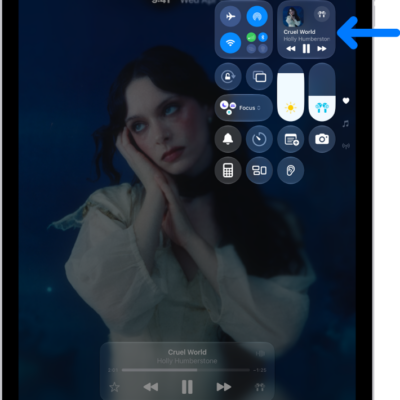
The iPad Control Center showing an arrow pointing to the audio card where you can control music from the Lock Screen or when using another app.

How to play audio from your iPad on a Bluetooth accessory from your iPad

You can play audio from your iPad on a Bluetooth accessory, change the playback destination, and improve audio accuracy.
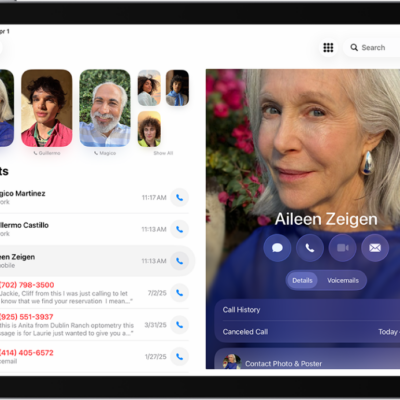
The Phone app, with Favorite contacts on the left side of the screen. Below the Favorites is a list of recent calls and voicemail. The contact information appears on the right side of the screen, with the Keypad button in the top right of the screen.

How to view and delete your call history on iPad

You can view and delete your call history on iPad, removing all your recent calls or just specific calls.