You control whether third-party apps have access to information in Contacts, Photos, Calendar, and other apps. The first time an app wants information from another app, it has to ask you and explain why, and you can change access later. You can also review how apps use the permissions you grant them.
Review or change access to information in apps
An app that wants to use information from another app for the first time sends you a request with an explanation. A messaging app might ask for your contacts, for instance, to find friends using the same app. After you grant or deny access, you’re free to change it later.
- Open Settings and then tap Privacy & Security.
- Tap a category of information, such as Calendars, Reminders, or Motion & Fitness.
The list shows the apps that requested access. You can turn access on or off for any app on the list.
Review how apps are using the permissions you grant them
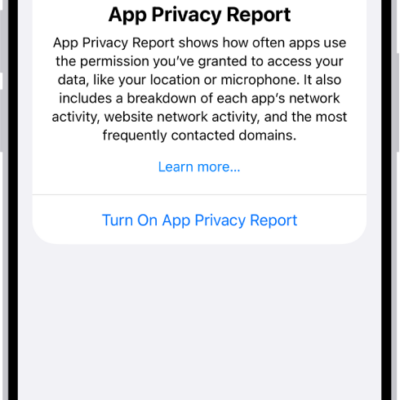
Go to Settings > Privacy & Security, then tap App Privacy Report.
The App Privacy Report shows how apps are using the permissions you granted them, along with their network activity.
To turn off the report and delete its data, go to Settings > Privacy & Security > App Privacy Report, then tap Turn Off App Privacy Report. You can return to this Settings screen to turn the report on again.