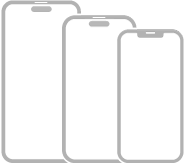
This guide helps you get started using iPhone and discover all the amazing things it can do with iOS 27. It’s worth a quick check first, since your features and apps may vary depending on your iPhone model. iOS 27 is compatible with the following models:
- iPhone 11
- iPhone 11 Pro
- iPhone 11 Pro Max
- iPhone 12 mini
- iPhone 12
- iPhone 12 Pro
- iPhone 12 Pro Max
- iPhone 13 mini
- iPhone 13
- iPhone 13 Pro
- iPhone 13 Pro Max
- iPhone 14
- iPhone 14 Plus
- iPhone 14 Pro
- iPhone 14 Pro Max
- iPhone 15
- iPhone 15 Plus
- iPhone 15 Pro
- iPhone 15 Pro Max
- iPhone 16
- iPhone 16 Plus
- iPhone 16 Pro
- iPhone 16 Pro Max
- iPhone 16e
- iPhone 17
- iPhone 17 Pro
- iPhone 17 Pro Max
- iPhone Air
- iPhone 17e
- iPhone 18 Pro
- iPhone 18 Pro Max

- iPhone SE (2nd generation)
- iPhone SE (3rd generation)
Note: Apps and services that send or receive data over a cellular network, or that answer incoming calls, may incur additional fees. Contact your carrier for information about your service plan and fees.
Identify your iPhone model and iOS version
- Start the Settings app on your iPhone.
- Tap General and then tap About.
Get iOS updates
To update your iPhone to the latest iOS software compatible with your model, do the following:
- Start the Settings app on your iPhone.
- Tap General, then tap Software Update.
Tag: iPhone