iPadOS 27 is compatible with the following models, from iPad mini (6th generation) and iPad (9th generation) to iPad Pro 13-inch (M5). Your features and apps may vary depending on your model and region. You can also identify your iPad model and iPadOS version, and get iPadOS updates.
This guide helps you get started using iPad and discover all the amazing things it can do with iPadOS 27, which is compatible with the following models:
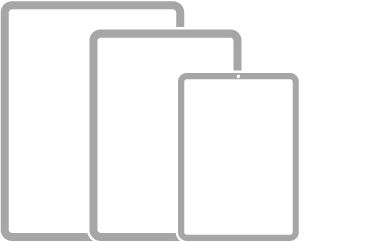
- iPad mini (6th generation)
- iPad mini (A17 Pro)
- iPad (10th generation)
- iPad (A16)
- iPad Air (4th generation)
- iPad Air (5th generation)
- iPad Air 11-inch (M2)
- iPad Air 11-inch (M3)
- iPad Air 11-inch (M4)
- iPad Air 13-inch (M2)
- iPad Air 13-inch (M3)
- iPad Air 13-inch (M4)
- iPad Pro 11-inch (2nd generation)
- iPad Pro 11-inch (3rd generation)
- iPad Pro 11-inch (4th generation)
- iPad Pro 11-inch (M4)
- iPad Pro 11-inch (M5)
- iPad Pro 12.9-inch (4th generation)
- iPad Pro 12.9-inch (5th generation)
- iPad Pro 12.9-inch (6th generation)
- iPad Pro 13-inch (M4)
- iPad Pro 13-inch (M5)

Your features and apps may vary depending on your iPad model, region, language, and carrier, Apple says.
Note: Apps and services that send or receive data over a cellular network, or that answer incoming calls, may incur additional fees. Contact your carrier for information about your service plan and fees.
Identify your iPad model and iPadOS version
Go to Settings > General > About. See Get information about your iPad.
Get iPadOS updates
To update your iPad to the latest iPadOS software compatible with your model, go to Settings > General > Software Update. See Update iPadOS.