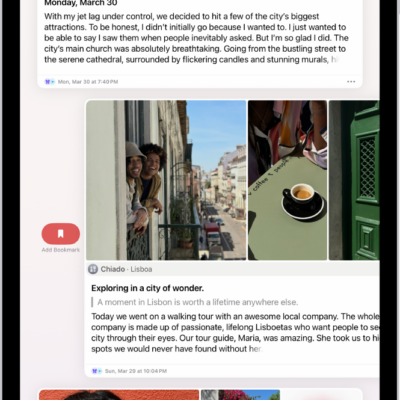
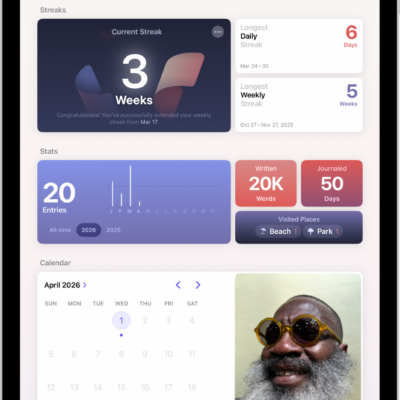
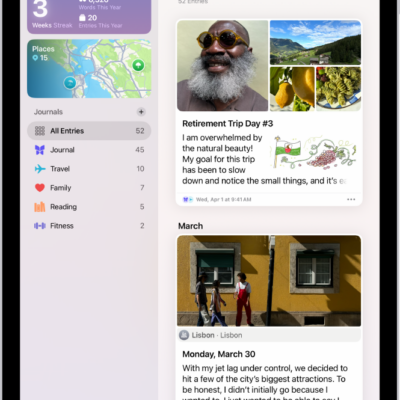
You can customize the settings for the Journal app; for example, allow journaling suggestions to sync from iPhone, lock your journal, set a schedule for journaling, and more.
Journaling suggestions sync from iPhone when you’re signed in to the same Apple Account. With Apple Intelligence, Journal can even suggest writing prompts based on what you write. You can add a title, date, or current location to new entries, too.
Here’s how to change your Journal settings on iPad.
Sync journaling suggestions from iPhone
When you’re signed in to the same Apple Account, journaling suggestions can sync from iPhone to iPad.
- Turn on iPhone Journaling Suggestions.
- On your iPad, open the Settings app and tap Privacy & Security.
- Tap Journaling Suggestions and then tap Turn On Journaling Suggestions.
- Turn on Allow Sync to iPad.
Turn Writing Prompts on or off
Journal can use Apple Intelligence to suggest customized writing prompts, drawing on what you write plus the photos or drawings in your entry.
Note: Apple Intelligence on iPadOS 27 or later is available on an Apple Intelligence-enabled iPad mini (A17 Pro) and iPad models with M1 or later. Apple Intelligence is not available in all languages or regions. Usage limits may apply.* You must be an adult to use this feature.
- Start the Settings app on your iPad.
- Tap Apps and tap Journal. Tap Get Writing Prompts.
Add a title, date, or current location to new journal entries
- Start the Settings app on your iPad.
- Tap Apps, tap Journal, and do any of the following:
- Add location to new entries: Turn on Add Current Location.
- Add a title to new entries: Tap Add Entry Title and then choose Always, Only for Moments, or Never.
- Use the date from the moment as the entry date: Turn on Always Use Moment Date.
Save photos and videos taken in Journal to the Photos app
- Start the Settings app on your iPad.
- Tap Apps and tap Journal.
- Turn on Save to Photos.
*Apple Intelligence is available with Siri and device language set to Chinese (Simplified), Chinese (Traditional), Danish, Dutch, English, French, German, Italian, Japanese, Korean, Norwegian, Portuguese, Spanish, Swedish, Turkish, or Vietnamese. Some features may not be available in all regions or languages. Some devices may not be available in all regions. Siri AI is available in beta in iOS 27, iPadOS 27, macOS 27, watchOS 27, and visionOS 27 and requires an Apple Intelligence–enabled device set to a supported language. Available in English to start. Siri AI will not be initially available in the EU on iOS, iPadOS, and watchOS. Certain Apple Intelligence features that rely on server-side models are subject to daily usage limits, including but not limited to Siri AI, Intelligent Photo Editing Tools, Image Playground, and AFM 3 Cloud models in Shortcuts. Daily limits may vary by feature, request complexity, system demand, system policies, and other factors. Expanded access to such features will be available for a fee in the future. Use of these features is subject to the Apple Intelligence Terms and Conditions.
See also