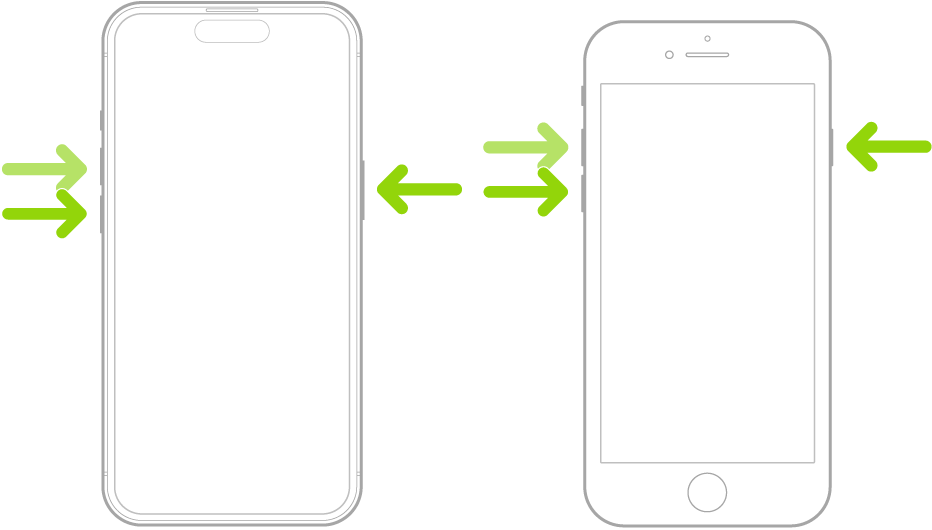
If iPhone isn’t responding, and you can’t turn it off then back on, try forcing it to restart. A force restart uses the volume up button, the volume down button, and the side button on your iPhone. When the Apple logo appears, you’ll know it’s restarting.
Press and quickly release the volume up button.
Press and quickly release the volume down button.
Press and hold the side button.
When the Apple logo appears, release the side button.