You can have your iPad (or your family member’s iPad) check for sensitive images and warn you before you view them. You’ll see a warning before receiving or sending sexually explicit photos, and Screen Time can also block inappropriate content and set restrictions on purchases.
Turn on Sensitive Content Warning
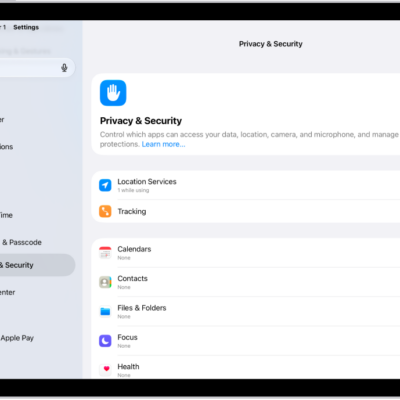
- Open Settings and then tap Privacy & Security.
-
Tap Sensitive Content Warning. Then turn on Sensitive Content Warning.
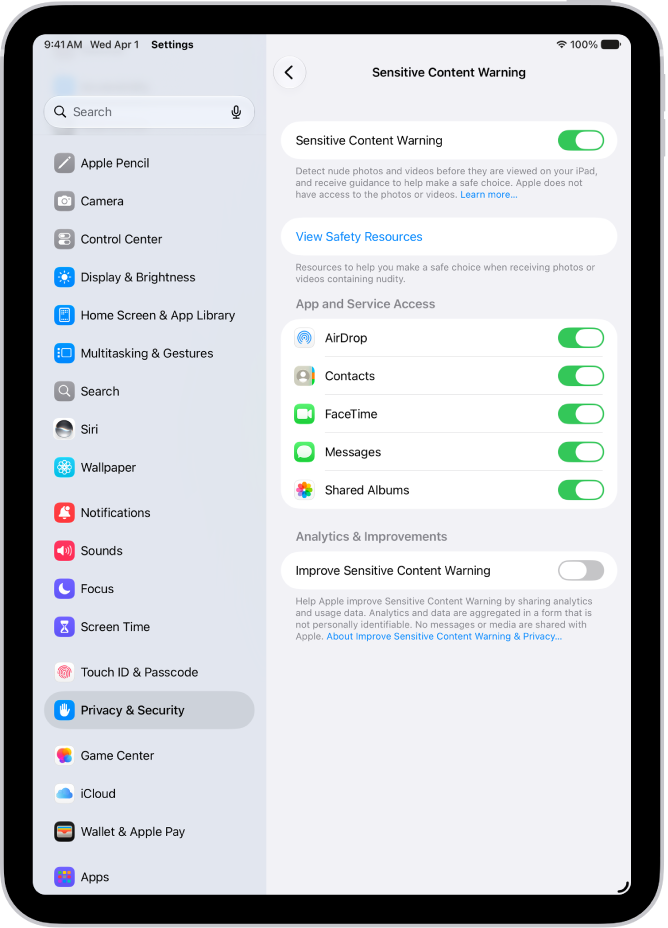
You (or your family member) will receive a warning before receiving or sending sexually explicit photos.
Note: Sensitive Content Warning is turned on automatically if you set up Screen Time and turn on Communication Safety. See Set up Screen Time for yourself.
You can also block inappropriate content and set restrictions on purchases in Screen Time. See our article, Block features or content with Screen Time.
See also
Tag: Privacy & Security