You pair Apple Watch with iPhone in the Apple Watch app. After that, you can use your Apple Watch to unlock your iPhone when you’re wearing a face mask, work out with Apple Fitness+, and collect health and fitness data.
Pair Apple Watch with iPhone
On your iPhone, tap the Apple Watch app , then follow the onscreen instructions. (Apple Watch sold separately.)
Unlock iPhone with Apple Watch
If you’re wearing a face mask, your Apple Watch (Series 3 and later) can securely unlock your iPhone (models with Face ID) while it’s on your wrist (watchOS 7.4 or later required).
Note: On iPhone 12 models or later, you don’t need Apple Watch to unlock iPhone while wearing a face mask.
To allow Apple Watch to unlock your iPhone, do the following:
- Open Settings and then tap Face ID & Passcode.
- Scroll down. Then turn on Apple Watch (below Unlock with Apple Watch).
If you have more than one watch, turn on the setting for each one.
To unlock your iPhone while you’re wearing your Apple Watch and a face mask, raise iPhone or tap its screen to wake it, then glance at your iPhone.
Note: Your Apple Watch needs a passcode to unlock your iPhone, and it must also be unlocked, on your wrist, and close to your iPhone.
Work out with Apple Fitness+
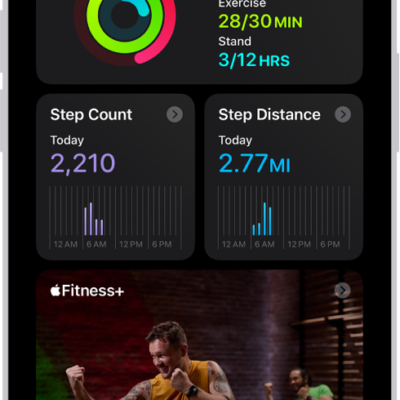
Used in conjunction with Apple Watch, Apple Fitness+ is a subscription service that lets you choose from a catalog of workouts led by expert trainers. While you follow a workout on your iPhone, in-session metrics like heart rate and calories burned (which are captured by your watch) appear on your screen. (watchOS 7.2 or later required; Apple Fitness+ availability varies by country or region.)
Note: You don’t need an Apple Watch to use Fitness on iPhone. It can still help you view your active calories and steps, set a move goal, and track your progress, plus see your movement trends over time.
Collect health and fitness data from Apple Watch
Your health and fitness data can go from Apple Watch to iPhone, where you can view it in Health. Apple Watch can also send your iPhone notifications about low heart rates, high heart rates, loud environmental sounds, and more.