Learn the location of the cameras, buttons, and other essential hardware features on iPhone 11.
Start with the front and sides, where you’ll see the front camera, side button, SIM tray, Lightning connector, volume buttons, and Ring/Silent switch. On the back are the rear cameras and flash.
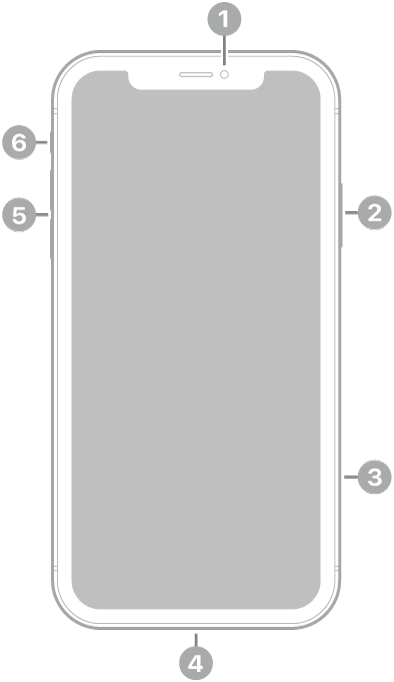
 Front camera
 Side button
 SIM tray
 Lightning connector
 Volume buttons
 Ring/Silent switch
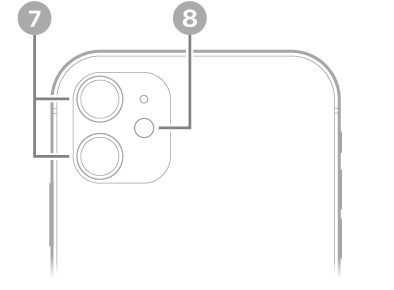
 Rear cameras
 Flash
Flash
Get started with iPhone 11
- Turn on and set up iPhone
- Learn gestures for iPhone models with Face ID
- iPhone camera basics
- Qi-certified wireless chargers for iPhone
- What’s new in iOS 27
Tag: iPhone