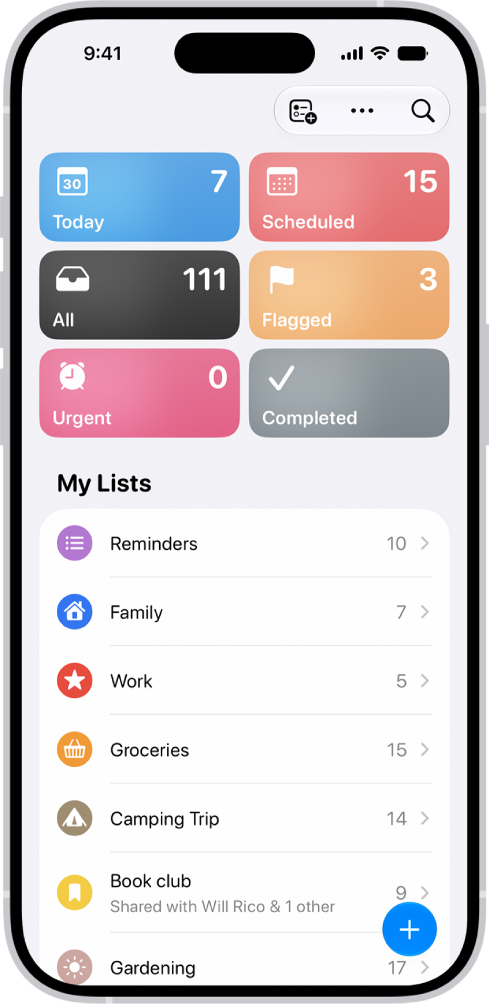
In the Reminders app, you can create new lists, organize the lists into groups, and pin lists for quick access.
Each new list gets a name, a color, and a symbol, and you choose its type: Standard, Groceries, or Smart Lists. You can also edit and rearrange lists and groups, or delete them, and pin an important list above the other lists for easy access.
Here’s how to organize multiple lists in Reminders on iPhone.
Note: If you use updated reminders in iCloud, every Reminders feature described in this guide is available. With other accounts, some features aren’t.
Make a new list
- Open the Reminders app on your iPhone.
- Tap the Add List button.
- Enter a name and choose a color and symbol for the list.
- Tap List Type and choose Standard, Groceries, or Smart Lists.
- Tap the Done button.
Pin an important list above the other lists for easy access
- Open the Reminders app on your iPhone.
- Touch and hold a list and then tap Pin. You can also swipe right on the list and then tap the Pin button.
You can have a maximum of nine pinned lists. To change the position of a pinned list, tap the More button, tap Edit Lists, drag the Reorder button to a new position, then tap the Done button.
Create a group of lists
Groups such as work, school, or shopping can organize your lists.
To create a group, simply drag a list onto another list. You can also do the following:
- Open the Reminders app on your iPhone.
- Tap the More button and then tap Edit Lists.
- Tap Add Group, enter a name and select the lists to include in the group (optional). Then tap the Done button.
Edit and rearrange lists and groups
- Open the Reminders app on your iPhone.
- Tap the More button and tap Edit Lists. Do any of the following:
- Rearrange lists and groups: Drag the Reorder button a list or group to a new location. You can even move a list to a different group.
- Change the name and appearance of a list or group: Tap the Edit Details button.
Delete a list or group
- Open the Reminders app on your iPhone.
- Swipe left on the list or group. Then tap the Delete button.
If you delete a group, you can choose to keep its lists. Deleted lists or groups move to Recently Deleted, where you can recover them within 30 days. They’re permanently deleted after 30 days.