You can save a PDF from Safari to your iPhone to read later or share with others. The PDF goes to the Files app, and you can enter a name for the file before you save it, so it’s easy to find later.
- Start the Safari app on your iPhone.
- Go to the PDF.
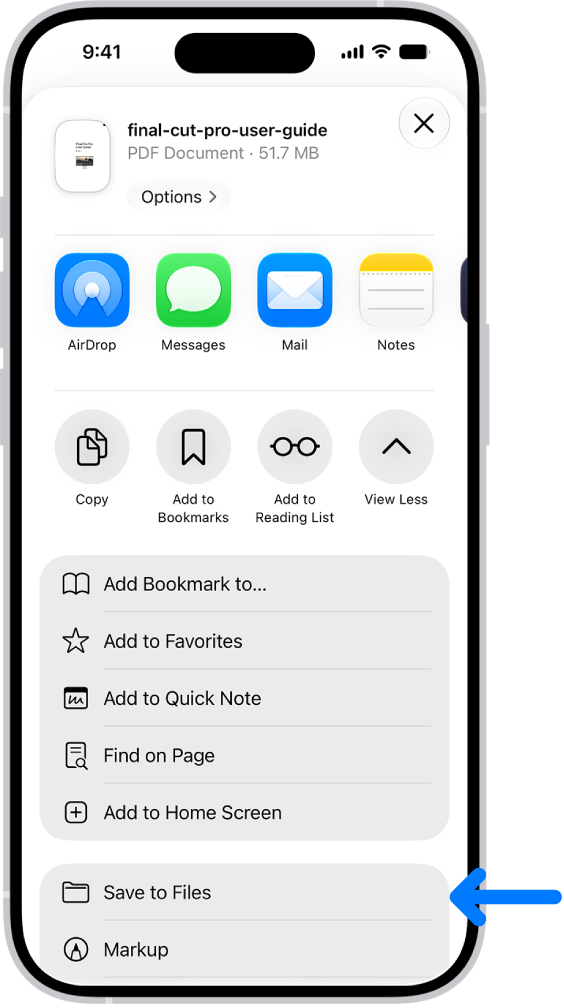
- Tap the Page Menu button and tap Share. If your Tabs layout is Bottom or Top, tap the Share button.
- Tap Save to Files.
- Enter a name for the file, then tap Save.
Tag: Safari