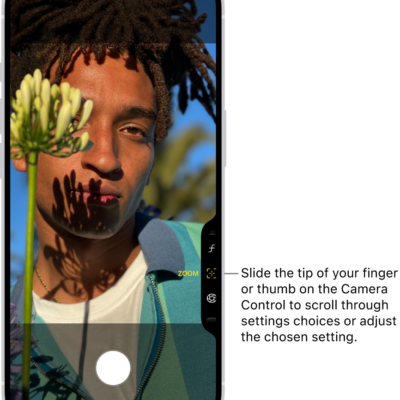
With Siri AI (Beta), you can use Siri mode in Camera, which uses Visual Intelligence to let you search, ask questions, and take action based on what’s around you with just a tap.
Point your iPhone camera at something, and Siri can identify what’s in the frame, answer a specific question about it, or suggest an action, like splitting a bill with Apple Cash. You can even ask follow-up questions about Siri’s answer.
Siri AI is available in beta on iOS 27 or later on an Apple Intelligence-enabled iPhone 15 Pro, iPhone 15 Pro Max, or iPhone 16 model or later with Siri and device language set to a supported language. Available in English to start. Siri AI will not initially be available in the EU on iOS. Usage limits may apply.*
- Click and hold the Camera Control (on supported iPhone models), or use an alternate option.
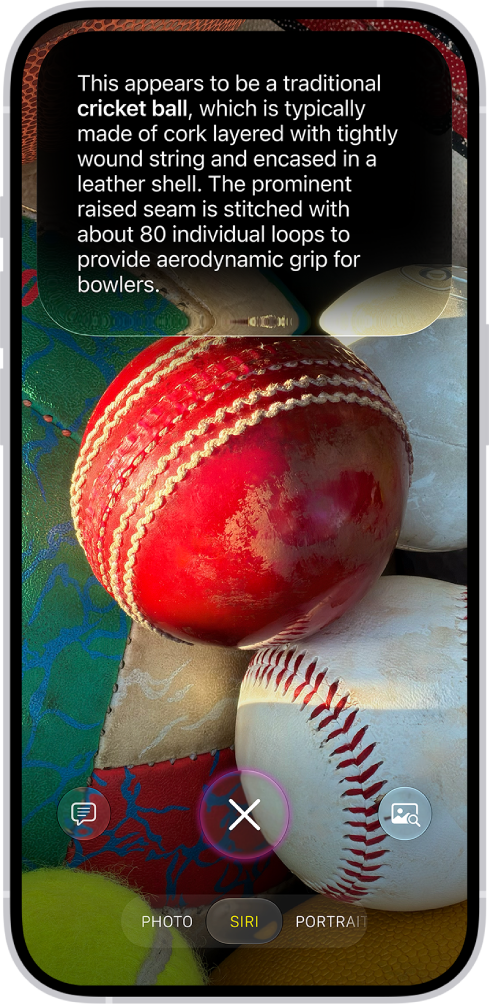
- Tap Siri to switch to Siri mode.
- Point your iPhone camera at something around you.
-
Do any of the following:
- Take action based on what’s in the frame: Tap an action if one appears. For example, when you point the iPhone camera at a check, tap Split Bill with Apple Cash and then follow the onscreen instructions to split the bill with friends.
-
Get quick information related to what’s in the frame: Tap the Siri button. For example, when you point the iPhone camera at an unknown object, like a cricket ball, Siri will identify what’s in the frame.
Tip: Swipe down on Siri’s answer to continue the conversation and ask follow-up questions, like “How do you play cricket?”
- Ask a specific question about what’s in the frame: Tap the Ask button, then ask a question. For example, when you point the iPhone camera at a bunch of ingredients, ask What can I make with these ingredients?
- Search for similar images on the internet: Tap the Search button.
- Swipe up from the bottom to close the Siri conversation (if a Siri conversation is open) and then tap the Close button to close the results.
In Screen Time settings, you decide which Siri features you can use and what content Siri can access.
*Apple Intelligence is available with Siri and device language set to Chinese (Simplified), Chinese (Traditional), Danish, Dutch, English, French, German, Italian, Japanese, Korean, Norwegian, Portuguese, Spanish, Swedish, Turkish, or Vietnamese. Some features may not be available in all regions or languages. Some devices may not be available in all regions. Siri AI is available in beta in iOS 27, iPadOS 27, macOS 27, watchOS 27, and visionOS 27 and requires an Apple Intelligence–enabled device set to a supported language. Available in English to start. Siri AI will not be initially available in the EU on iOS, iPadOS, and watchOS. Certain Apple Intelligence features that rely on server-side models are subject to daily usage limits, including but not limited to Siri AI, Intelligent Photo Editing Tools, Image Playground, and AFM 3 Cloud models in Shortcuts. Daily limits may vary by feature, request complexity, system demand, system policies, and other factors. Expanded access to such features will be available for a fee in the future. Use of these features is subject to the Apple Intelligence Terms and Conditions.