With Apple Intelligence, you can communicate and share information with ease—strike the right tone and proofread your writing with Write with Siri, provide relevant info during calls, communicate across languages in real time, and more. Live Translation can translate messages, show live translated captions in FaceTime, and give spoken translations for calls.
Note: Apple Intelligence on iOS 27 or later is available on an Apple Intelligence-enabled iPhone 15 Pro, iPhone 15 Pro Max, or iPhone 16 model or later. Apple Intelligence is not available in all languages or regions. Usage limits may apply.*
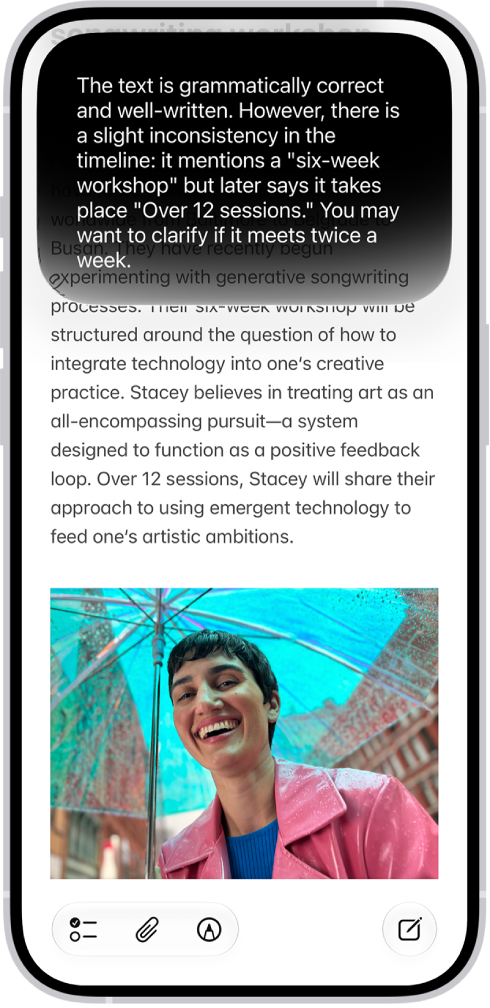
Find the perfect words
Siri AI (Beta) can generate a draft from scratch, summarize information, and provide feedback on what you’ve written—just describe what you want. For example, ask Siri to proofread an email or to write an itinerary for an upcoming trip.
Siri AI is available in beta on iOS 27 or later on an Apple Intelligence-enabled iPhone 15 Pro, iPhone 15 Pro Max, or iPhone 16 model or later with Siri and device language set to a supported language. Available in English to start. Siri AI will not initially be available in the EU on iOS. Usage limits may apply.
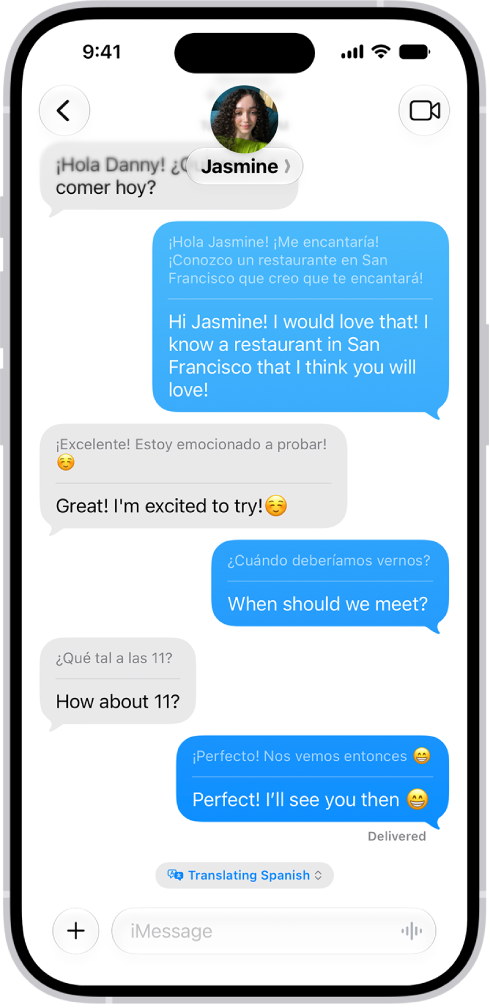
Translate across languages
Live Translation can automatically translate your messages in the Messages app and show live translated captions in FaceTime. In the Phone app, it gives you spoken translations for calls.
To get started, go to the Translate app, tap the More button then download the languages you want to be able to translate between. When you’re on a call, tap the More button, then tap Live Translation.
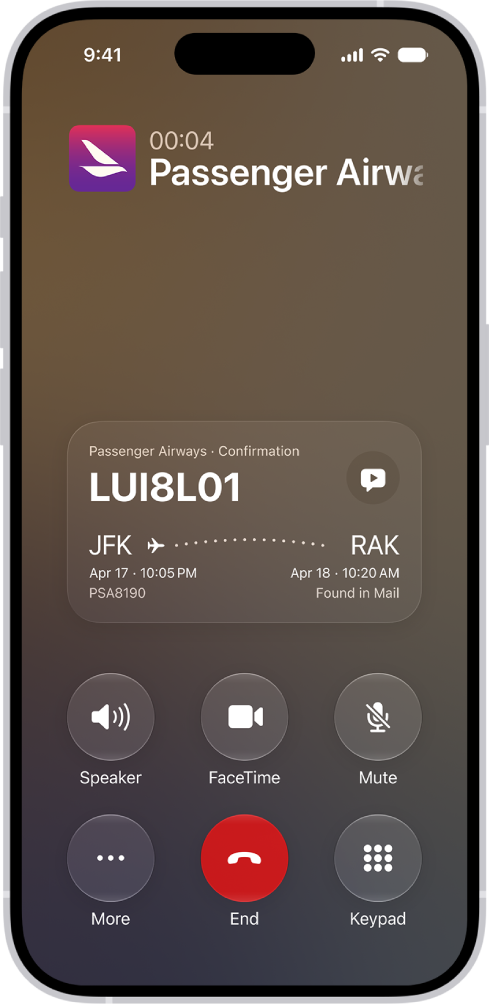
Get relevant information while on a call
When you’re calling a business, Call Context can proactively surface relevant information from your apps. Call an airline, for example, and it can bring up a confirmation code from Mail.
Even more communication features
-
Live Translation with AirPods
When someone nearby speaks to you in a different language, you can use Live Translation with AirPods to hear what they’re saying translated into your preferred language in real time.
-
Craft quick responses in Mail and Messages
Smart Reply helps you compose fast responses in Mail and Messages to make sure you covered everything.
-
Get suggested polls
Apple Intelligence can suggest a poll when it detects different options in a conversation.
-
Get suggestions in Mail
Use suggestions in Mail to take quick actions based on context from your conversations. For example, you can add a calendar event and create reminders with a tap.
*Apple Intelligence is available with Siri and device language set to Chinese (Simplified), Chinese (Traditional), Danish, Dutch, English, French, German, Italian, Japanese, Korean, Norwegian, Portuguese, Spanish, Swedish, Turkish, or Vietnamese. Some features may not be available in all regions or languages. Some devices may not be available in all regions. Siri AI is available in beta in iOS 27, iPadOS 27, macOS 27, watchOS 27, and visionOS 27 and requires an Apple Intelligence–enabled device set to a supported language. Available in English to start. Siri AI will not be initially available in the EU on iOS, iPadOS, and watchOS. Certain Apple Intelligence features that rely on server-side models are subject to daily usage limits, including but not limited to Siri AI, Intelligent Photo Editing Tools, Image Playground, and AFM 3 Cloud models in Shortcuts. Daily limits may vary by feature, request complexity, system demand, system policies, and other factors. Expanded access to such features will be available for a fee in the future. Use of these features is subject to the Apple Intelligence Terms and Conditions.