How to find your travel photos and videos on iPhone
In the Photos app, you can quickly find photos and videos from your trips grouped into collections, based on location data from the photos. They’re all in Trips, in Collections. And to help you find older trips, you can jump to a year.
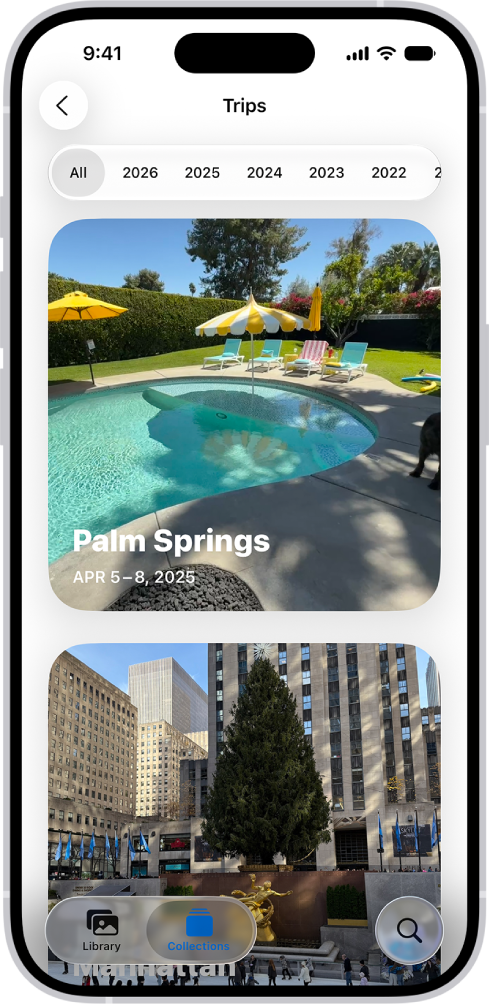
- Open the Photos app on your iPhone.
- Tap Collections, scroll down to Trips, and tap the trip collection you want to view.
Tap a year at the top of the screen to help you find older trips.
Read Next
You can create, rename, sort, and delete photo albums in Photos on iPhone, and group them in folders that stay in sync with iCloud Photos.
You can take Apple ProRAW photos for more control over exposure, color, and white balance when editing on supported iPhone models.
You can add photos, videos, webpages, maps, PDFs, and other attachments to notes on iPhone, then change preview sizes and view all attachments.