In the Sleep app, you can view a sleep score based on estimates of how long you slept, how consistent your bedtime was compared with your recent history, and the amount and duration of awake periods during sleep. Your sleep score appears after you wake up, as a score from 0 to 100, with a classification and a detailed breakdown to help you understand how to make your sleep more restorative. It’s calculated from sleep duration, bedtime consistency, and interruptions.
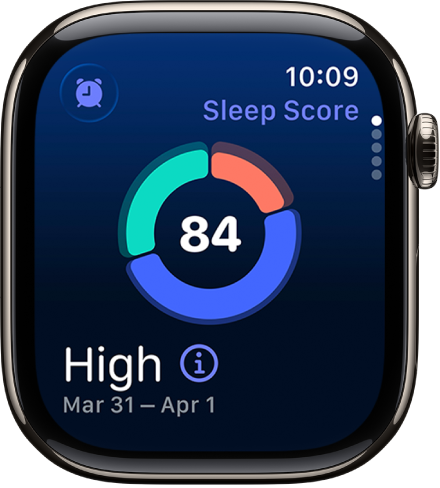
To view your sleep score, do the following:
- Start the Sleep app on your Apple Watch.
- To learn more about your sleep score, tap the Info button.
Your sleep score is calculated based on estimates of sleep duration (50 points), bedtime consistency (30 points), and interruptions (20 points). Your total score ranges from Very Low to Very High, with the following breakdown:
- Very Low: 0-40
- Low: 41-60
- OK: 61-80
- High: 81-95
- Very High: 96+
Note: Bedtime consistency looks at when you fell asleep over the last 13 nights, and Interruptions looks at how often you wake up and how long you’re awake during your sleep.
See also