Your iPhone can help you recover Apple Watch. It’s quick: you place your iPhone near your Apple Watch, put your watch on its charger, and follow the steps that appear on the iPhone. If your Apple Watch displays an animation showing a watch and iPhone being brought close together, follow these steps:
-
Place your iPhone near your Apple Watch.
Your iPhone needs to have iOS 15.4 or later, be connected to Wi-Fi with Bluetooth turned on, and be unlocked.
- Put your Apple Watch on its charger.
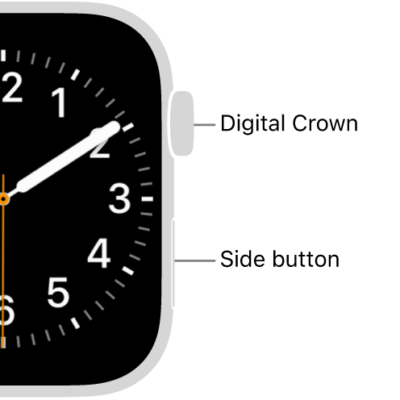
- Double-click the side button on your Apple Watch. Then follow the steps that appear on the iPhone.
See also
Tag: watchOS