Siri AI is powered by Apple Intelligence and leads what’s new in watchOS 27. You can get new data insights with Workout Buddy and use the new Readiness app, and Find Devices, Find People, and Find Items are now in the single Find My app on your watch.
Here’s what’s new in watchOS 27.
Siri AI (Beta)
Introducing Siri AI (Beta). Siri AI is powered by Apple Intelligence* and makes Siri more helpful than ever. Siri AI is your conversational AI assistant that draws on broad world knowledge, personal context, and what’s on your Apple Watch to get relevant answers and find what you need. Siri AI can also take action in apps using your personal context to help you get things done. And explore the new Siri app to view and continue previous conversations, or start a new one. See What’s new with Siri AI and Use the Siri app.
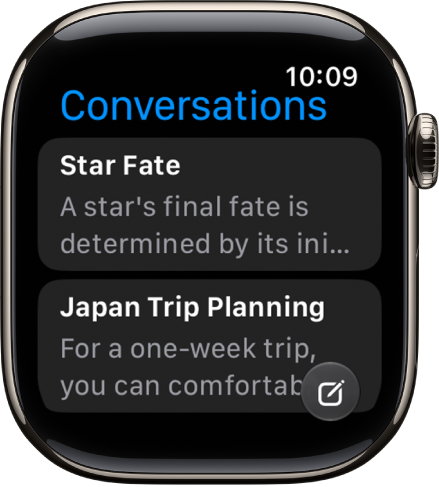
Note: Siri AI is available in beta on watchOS 27 or later on Apple Watch Series 9 and later, Apple Watch Ultra 2 and later, and Apple Watch SE 3 when paired with an Apple Intelligence-enabled iPhone 15 Pro, iPhone 15 Pro Max, or iPhone 16 model or later with Siri and device language set to a supported language. Available in English to start. Siri AI will not initially be available in the EU on iOS and watchOS. Usage limits may apply.
Apple Intelligence
Workout Buddy enhancements. You can get new data insights with Workout Buddy, including your progress for pace, distance, and workout duration. You can also use Workout Buddy without your paired iPhone nearby with a Wi-Fi or cellular connection. See Use Workout Buddy.
Note: Available in English and Spanish.
Get relevant information while on a call. With Call Context, you can proactively surface relevant information from your apps when you’re calling a business—like a confirmation code from Mail when you call an airline. See While on a call.

Health and fitness
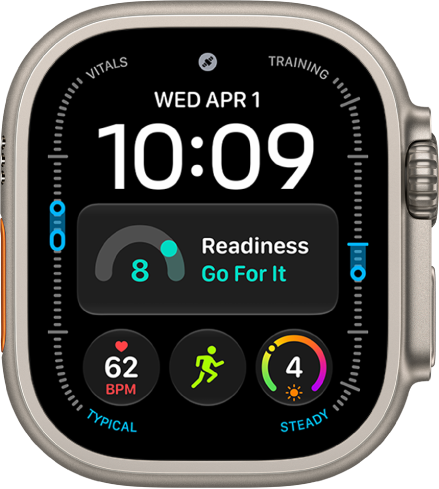
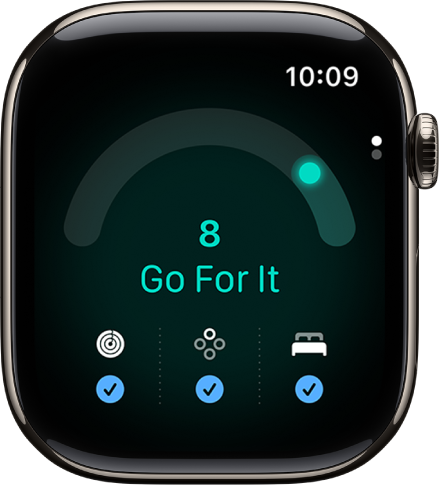
Readiness. On Apple Watch Series 12 and Apple Watch Ultra 4, use the new Readiness app to view a score that helps you understand when you’re likely ready to push yourself and when it’s time to take a rest. See Use the Readiness app on Apple Watch.
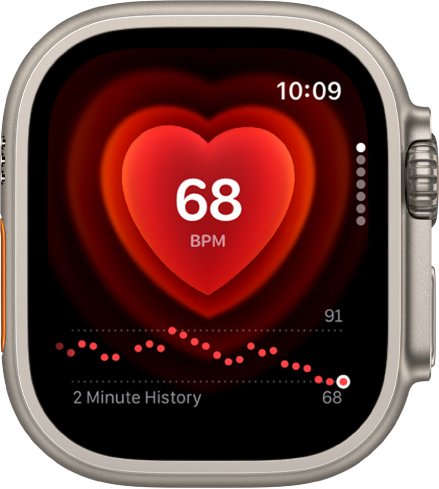
Heart Rate. On Apple Watch Series 12 and Apple Watch Ultra 4, you can view a chart of your heart rate measurements as it updates in real time. You can also view your heart rate variability (HRV), which measures the overall variation in time between heart beats. See See your heart rate and View your recovery heart rate variability.
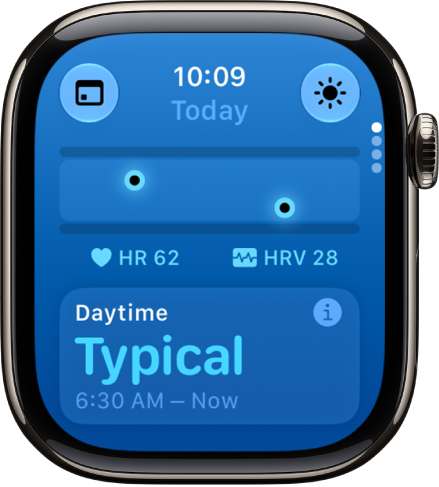
Vitals. On Apple Watch Series 12 and Apple Watch Ultra 4, you can see additional health metrics collected during the day—resting heart rate and heart rate variability. See View your daytime vitals.
Cycle Tracking. Cycle Tracking in the Health app on iPhone supports perimenopause and menopause. You can log your symptoms, and find support with educational resources. If you’re 40 and older, you can receive a notification when your logged cycle patterns are suggestive of perimenopause or other underlying conditions. See Track menopause stages.
Activity. The redesigned pedometer model uses new machine learning algorithms to help measure the distance of your treadmill runs and walks more precisely. And on Apple Watch Series 12 and Apple Watch Ultra 4, the redesigned pedometer model and S11 chip are used to also provide more accurate step counts all day. You can also use the new Steps complication on Apple Watch Series 12 and Apple Watch Ultra 4 to track your steps in real time, right from your watch face. See Start a workout and Track daily activity.
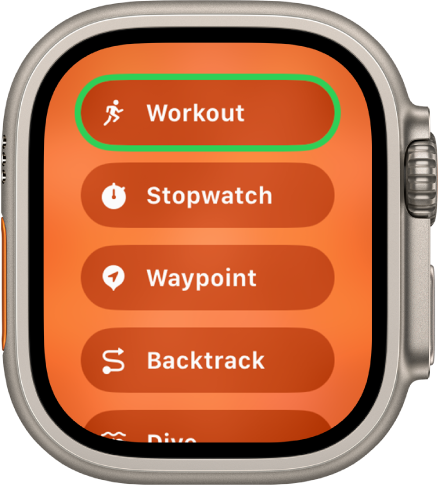
Workout. Extended Workout mode turns on Low Power Mode for the duration of your workout and certain running metrics are unavailable. For even longer battery life, you can also start a Max Extended Workout for Outdoor Walk, Outdoor Run, and Hiking workouts. Certain metrics and splits are unavailable during a Max Extended Workout. See Conserve power during workouts.
Convenience and productivity
Find My app. Find Devices, Find People, and Find Items are now consolidated into the single Find My app. Everything you care about is easier to locate on a map-centric view. See Set up Find My.

Open Smart Stack widgets with a single tap. When you’re viewing widgets in the Smart Stack, perform the single tap gesture to select a widget. See Use tap gestures.
Discover music in an instant. On Apple Watch Series 12 and Apple Watch Ultra 4, Shazam leverages Apple’s on-device audio intelligence to quickly help identify music in the Smart Stack. See Identify songs with Shazam.
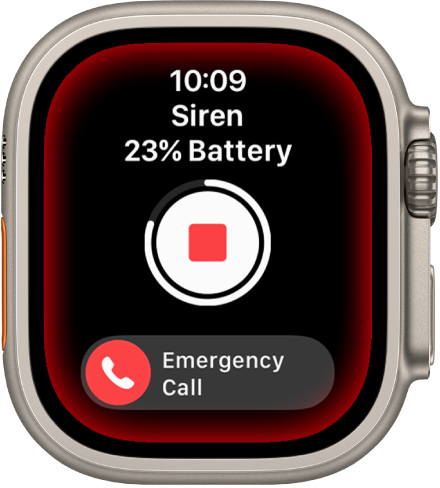
Sound Recognition in Accessibility. Apple Watch Series 12 and Apple Watch Ultra 4 can continuously listen for certain sounds—such as a doorbell, siren, or crying baby—and notify you when it recognizes these sounds. See Recognize sounds using Apple Watch.
Watch faces and personalization
Dynamic app grid. Get to your apps faster with the new dynamic app grid. This automatically highlights Siri-suggested apps, including your most popular and recently used apps—with the Siri app always in the center. See Use apps on Apple Watch.
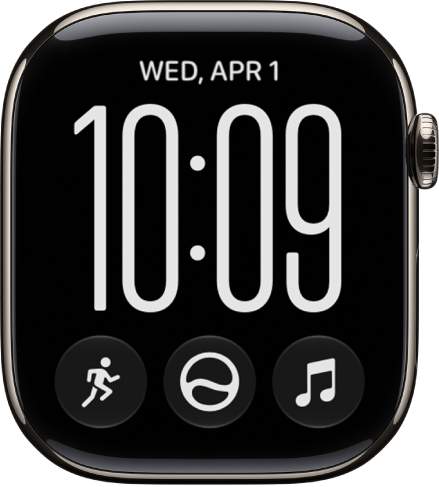
Explore new watch faces. Switch things up with new watch faces for Apple Watch. Pride Luminance is a dynamic analog face that is inspired by multiple Pride flags. And use the Siri Modular face for making quick requests to Siri. See Apple Watch faces and their features.
Not all features, Apple says, are available in all areas and on all models.
*Apple Intelligence is available with Siri and device language set to Chinese (Simplified), Chinese (Traditional), Danish, Dutch, English, French, German, Italian, Japanese, Korean, Norwegian, Portuguese, Spanish, Swedish, Turkish, or Vietnamese. Some features may not be available in all regions or languages. Some devices may not be available in all regions. Siri AI is available in beta in iOS 27, iPadOS 27, macOS 27, watchOS 27, and visionOS 27 and requires an Apple Intelligence–enabled device set to a supported language. Available in English to start. Siri AI will not be initially available in the EU on iOS, iPadOS, and watchOS. Certain Apple Intelligence features that rely on server-side models are subject to daily usage limits, including but not limited to Siri AI, Intelligent Photo Editing Tools, Image Playground, and AFM 3 Cloud models in Shortcuts. Daily limits may vary by feature, request complexity, system demand, system policies, and other factors. Expanded access to such features will be available for a fee in the future. Use of these features is subject to the Apple Intelligence Terms and Conditions.