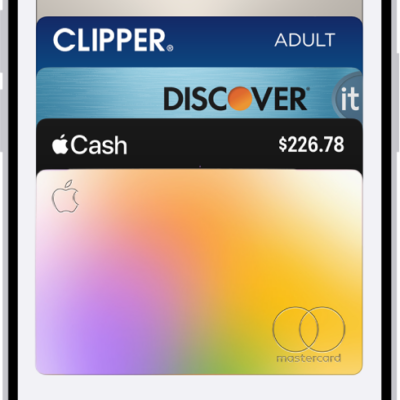
With your eligible cards stored in the Wallet app, you can use Apple Pay at contactless payment terminals, in stores, online, and in apps. You can also set your default card and payment preferences.
Using Apple Pay can be simpler and safer than using a physical card. Your actual card number is never shared with merchants, and each transaction uses a unique security code. You can use it in stores, restaurants, ticket terminals, gas stations, and more. The merchant must accept your payment card and payment network, though.
Note: Apple Pay and its features aren’t available in all countries or regions.
Make contactless payments in stores
Apple Pay works in stores, restaurants, gas stations, ticket terminals, and more.
Note: In addition to accepting Apple Pay, the merchant must accept your payment card and payment network. In other countries and regions, you may see different contactless payment symbols.
- Double-click the side button.
- Scroll to choose a card.
- Hold Apple Watch near the contactless card reader—with the display facing the reader—until a gentle tap and beep confirm that the payment information was sent.
Note: If you have Location Services turned on, the location of your iPhone at the time you make a payment may be sent to Apple and the card issuer to help prevent fraud.
Use Apple Pay for purchases online and in apps
Wherever you see the Apple Pay button in supported apps and websites, you can make purchases.
- At checkout, tap the Apple Pay button.
- Review the payment, shipping, and billing information.
- Double-click the side button to complete the payment.
Set your default card, address, and preferences for Apple Pay
- Open the Apple Watch app on your iPhone.
- Tap Wallet & Apple Pay and tap Apple Pay Defaults.
- Set any of the following:
- Transaction defaults: Set the default card, your shipping address, email, and phone number.
- Allow Payments on Mac: Use Apple Pay on your Apple Watch to confirm payments on your nearby Mac.
In the U.S., Apple Pay is a service provided by Apple Payments Services LLC, a subsidiary of Apple Inc. In other countries and regions, Apple Pay is a service provided by certain Apple affiliates, as designated by the Apple Pay privacy notice. Neither Apple Inc. nor Apple Payments Services LLC nor any Apple affiliate is a bank. Any card used in Apple Pay is offered by the card issuer.
See also