Different Apple Watch bands use the same release mechanism, so follow these general steps to remove and attach a band. It’s simple. Never force a band into the slot, though, and if you’re having trouble removing or inserting a band, the steps cover that, too. You can also see the Apple Watch models.
Remove and change a watch band
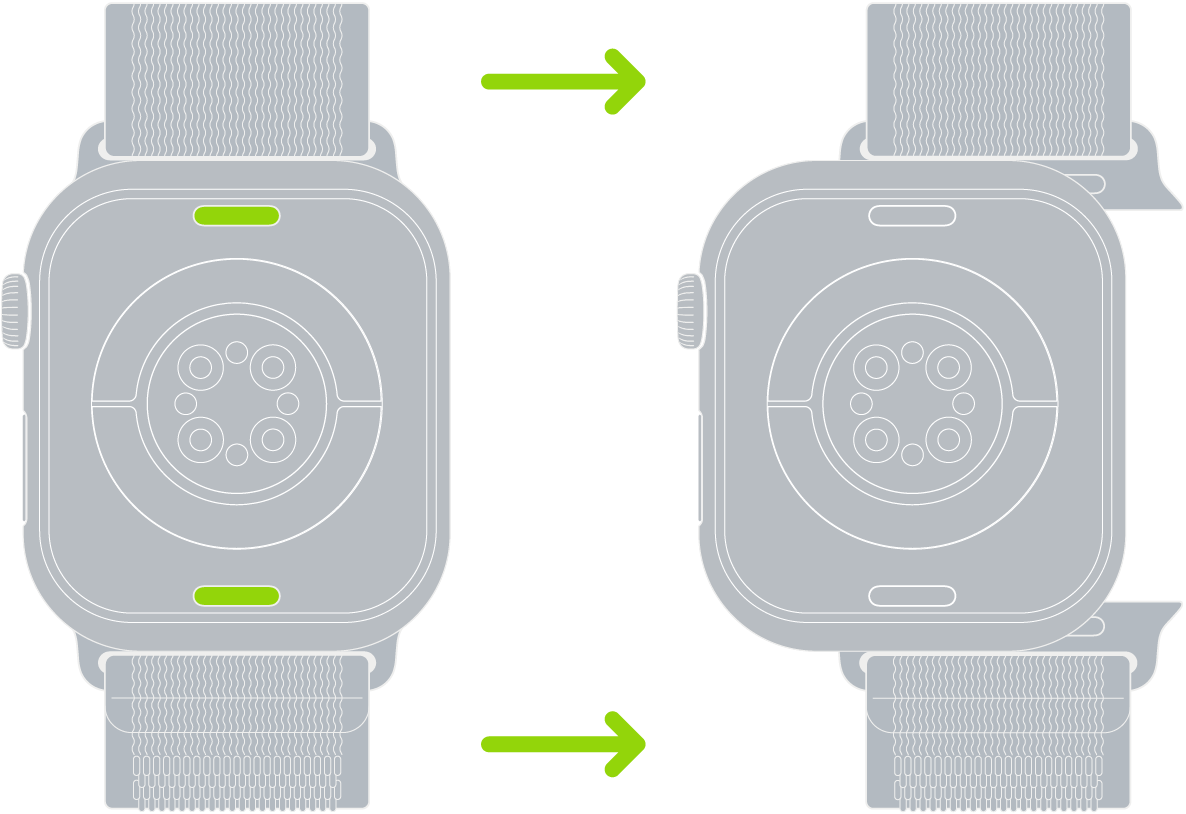
- Hold down the band release button on your Apple Watch.
-
Slide the band across to remove it. Then slide the new band in.
Never force a band into the slot. If you’re having trouble removing or inserting a band, hold down the band release button again.
See also
Tag: Setup