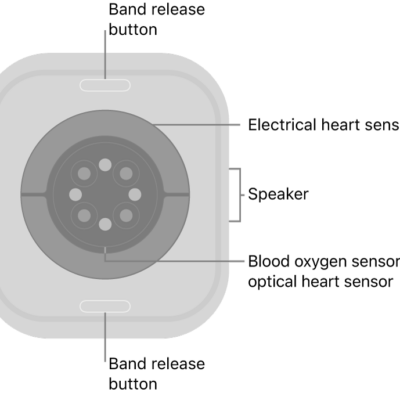
Your Apple Watch can tune in to your heart and send notifications when something out of the ordinary occurs. For example, it can notify you if your heart rate remains above or below a chosen threshold after you’ve been inactive for at least 10 minutes. You can turn on heart rate notifications when you first open the Heart Rate app, or at any time later.
Your watch can also notify you of an irregular heart rhythm that appears to be atrial fibrillation (AFib). If you have already been diagnosed with AFib, your Apple Watch can help you understand how frequently your heart is in this arrhythmia, and you can track lifestyle factors that may influence your condition.
Receive high or low heart rate notifications
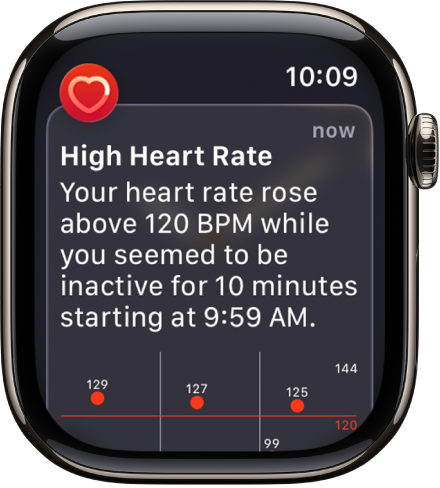
- Open the Settings app on your Apple Watch and then tap Heart.
- Tap High Heart Rate Notifications or Low Heart Rate Notifications. Set a heart rate threshold.
You can also open the Apple Watch app on your iPhone, tap My Watch, then tap Heart. Tap High Heart Rate or Low Heart Rate, then set a threshold.
Set up irregular heart rhythm notifications (not available in all countries or regions)
You can receive a notification if Apple Watch has identified an irregular heart rhythm that appears to be atrial fibrillation (AFib).
- Open the Apple Watch app on your iPhone.
- Tap My Watch, tap Apps, tap Heart, and then tap Set Up Irregular Rhythm Notifications in Health.
- In the Health app, tap Set Up and then follow the onscreen instructions.
Show AFib history (not available in all countries or regions)
If you’ve been diagnosed with AFib, do the following:
- Open the Health app on your iPhone.
- Tap Browse, tap Heart, tap AFib History, tap Set Up, and follow the onscreen instructions.
- To show your AFib history, open the Health app, tap Browse and tap Heart. Then tap AFib History.
Every Monday, if you’ve worn your watch for at least 5 of 7 days (12 hours a day), you may receive a notification with an estimate of the time you spent in AFib during the previous calendar week.
Set up low cardio fitness notifications
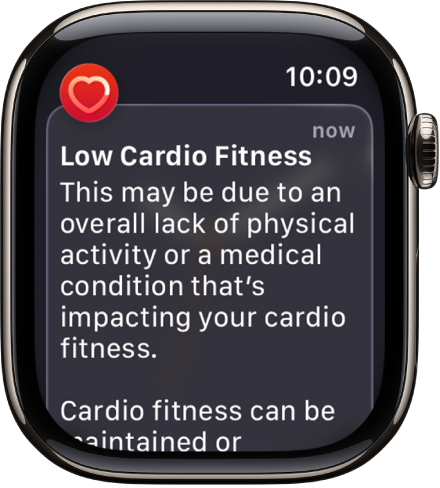
During an outdoor walk, run, or hike, Apple Watch can measure how hard your heart and lungs are working to provide cardio fitness estimates, and it can notify you when your cardio fitness level is low. Your cardio fitness falls into one of four ranges based on your age and sex: Low, Below Average, Above Average, or High. A cardio fitness level in the Low range brings a notification on your Apple Watch, and if it stays low, you’ll get another notification every 4 months.
- Open the Apple Watch app on your iPhone.
- Tap My Watch, tap Apps and tap Heart. Then turn on Cardio Fitness Notifications.
Look in the Cardio Fitness section of the Health app to see your cardio fitness measurements and the range they fall into. Tap Show All Cardio Fitness Levels for more information.
See also