Use the Blood Oxygen app on supported Apple Watch models to measure the percentage of oxygen your red blood cells carry from your lungs to the rest of the body. Knowing how well oxygenated your blood is can help you understand your overall health and wellness.
The app measures your blood oxygen level periodically throughout the day if background measurements are turned on, and you can also take an on-demand measurement. It’s not available for use by people under 18.
Note: Blood Oxygen app measurements are not intended for medical use. For models of Apple Watch purchased in the United States on or after January 18, 2024 with part numbers ending in LW/A or LS/A, the Blood Oxygen data analysis is performed on iPhone, and results can be viewed in the Health app.
What you need
- Make sure the Blood Oxygen app is available in your country or region.
- Update your iPhone XS or later to the latest version of iOS.
- Update your supported Apple Watch to the latest version of watchOS.
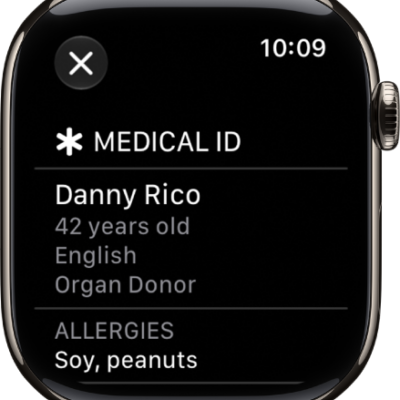
Note: The Blood Oxygen app is not available for use by people under 18 years old. You can confirm or set up your age in your Medical ID.
Set up Blood Oxygen
- Start the Settings app on your Apple Watch.
- Tap Blood Oxygen, then turn on Blood Oxygen Recordings.
Measure your blood oxygen level
With background measurements turned on, the Blood Oxygen app measures your blood oxygen level periodically throughout the day. You can take an on-demand measurement anytime, too.
- Start the Blood Oxygen app on your Apple Watch.
- Rest your arm on a table or in your lap, and make sure your wrist is flat, with the Apple Watch display facing up.
- Tap Start and then hold your arm very still during the 15-second countdown.
- At the end of the measurement, you receive the results. For models of Apple Watch purchased in the United States on or after January 18, 2024 with part numbers ending in LW/A or LS/A, results cannot be viewed on Apple Watch, and are exclusively available in the Health app on iPhone. Tap Done.
Note: To get the best results, the back of your Apple Watch needs skin contact. Wearing your Apple Watch not too tight or too loose, with room for your skin to breathe, and flush with the top of your wrist, helps ensure successful Blood Oxygen measurements.
Turn off background measurements when the Sleep Focus or Theater Mode is active
Because blood oxygen measurements use a bright red light shining against your wrist, they may be more visible in dark places. If you find the light distracting, you can turn off measurements.
- Start the Settings app on your Apple Watch.
- Tap Blood Oxygen. Turn off In Sleep Focus and In Theater Mode.
View your Blood Oxygen measurements history
- Start the Health app on your iPhone.
- Tap Browse and tap Respiratory. Then tap Blood Oxygen.