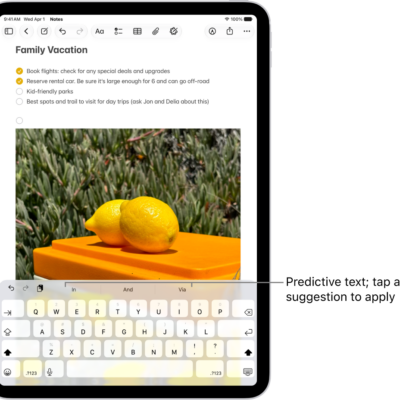
iPad Smart Keyboards and Magic Keyboards (sold separately) allow you to type while viewing the entire iPad screen. They magnetically attach to iPad without switches, plugs, or pairing, and provide a lightweight protective cover when closed.
Each keyboard is listed with the iPad models it’s compatible with, so you can find the right keyboard for your iPad, from the Magic Keyboard for iPad Pro to the Smart Keyboard Folio. You can also use shortcuts on an Apple external keyboard with iPad.
Find the right keyboard for your iPad
| Keyboard | Compatible with |
|---|---|
| Magic Keyboard for iPad Pro | iPad Pro 11-inch (M4 and M5)
iPad Pro 13-inch (M4 and M5) |
| Magic Keyboard for iPad Air
Note: Requires iPadOS 18.3 or later. |
iPad Air 11-inch (M2, M3, and M4)
iPad Air 13-inch (M2, M3, and M4) iPad Air (4th and 5th generation) |
| Magic Keyboard for iPad Air and iPad Pro | iPad Air 11-inch (M2, M3, and M4)
iPad Air 13-inch (M2, M3, and M4) iPad Air (4th and 5th generation) iPad Pro 11‑inch (1st, 2nd, 3rd, and 4th generation) iPad Pro 12.9‑inch (3rd, 4th, 5th, and 6th generation) |
| Magic Keyboard Folio | iPad (A16)
iPad (10th generation) |
| Smart Keyboard Folio | iPad Air 11-inch (M2, M3, and M4)
iPad Air 13-inch (M2, M3, and M4) iPad Air (4th and 5th generation) iPad Pro 11‑inch (1st, 2nd, 3rd, and 4th generation) iPad Pro 12.9‑inch (3rd, 4th, 5th, and 6th generation) |
| Smart Keyboard | iPad (7th, 8th, and 9th generation)
iPad Air (3rd generation) iPad Pro 10.5‑inch |
See also