If iPad isn’t responding, and you can’t restart it by turning it off then on, try forcing it to restart. How you force restart iPad depends on your model: one with Face ID or with Touch ID in the top button, or one with the Home button.
Force restart iPad (models with Face ID or with Touch ID in the top button)
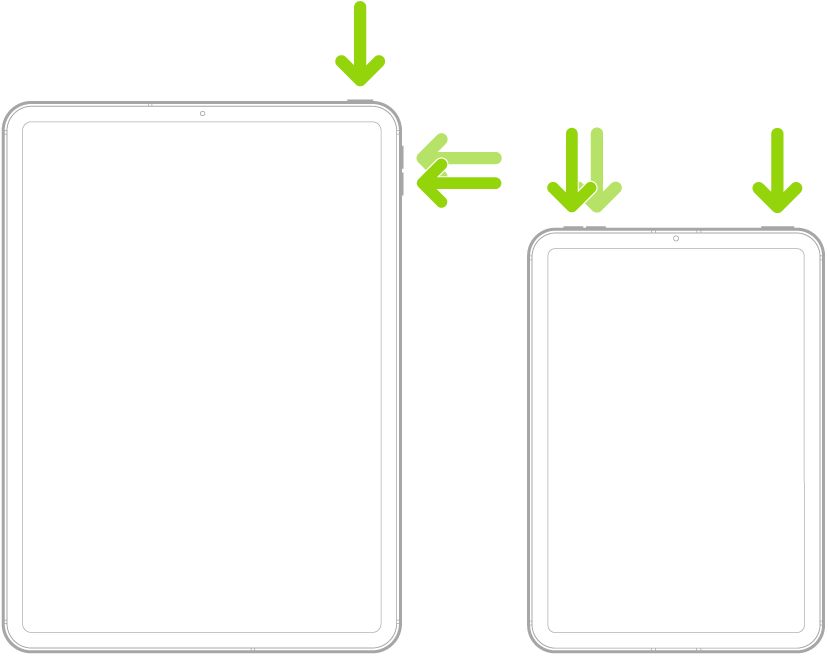
If your iPad doesn’t have the Home button, do the following:
- Press and quickly release the volume button nearest to the top button.
- Press and quickly release the volume button farthest from the top button.
- Press and hold the top button.
- When the Apple logo appears, release the top button.
Force restart iPad (models with the Home button)
Press and hold the top button and the Home button at the same time. When the Apple logo appears, release both buttons.

Tag: iPadOS