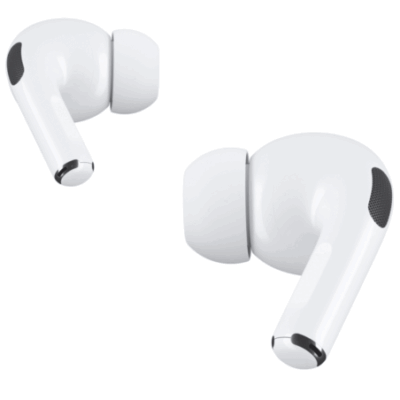
Your AirPods Pro come with additional ear tips in the box, so you can change ear tip sizes to find the right fit. The ear tip sizes that come with your AirPods Pro depend on the model you have, and AirPods Pro 3 include the most, from XXS to L.
Just remember that ear tips are not interchangeable between models. When you change one, the old tip comes straight off, and the new one clicks into place on the oval-shaped connector.
Here’s how to remove and attach ear tips on your AirPods Pro.
- AirPods Pro 3: Includes sizes XXS, XS, S, M, and L.
- AirPods Pro 2: Includes sizes XS, S, M, and L.
- AirPods Pro 1: Includes sizes S, M, and L.
Quick tip: If you’re not sure what size ear tips are on your AirPods, gently unroll the edge of an ear tip and look for the size.
Remove an ear tip
- Hold one of your AirPods Pro firmly in one hand.
-
Using the fingers of your other hand, grip the ear tip where it connects to the AirPod.
Tip: If you need more grip, use a clean lint-free cloth to grip the ear tip for better traction, or gently roll the soft rubber edge of the ear tip inside out.
- Pull the ear tip straight out using steady pressure.
Attach an ear tip
- Line up the ear tip with the oval-shaped connector.
- Push the ear tip on from the base until you feel and hear it click into place.
- Gently tug the ear tip to make sure it’s secure.
See also