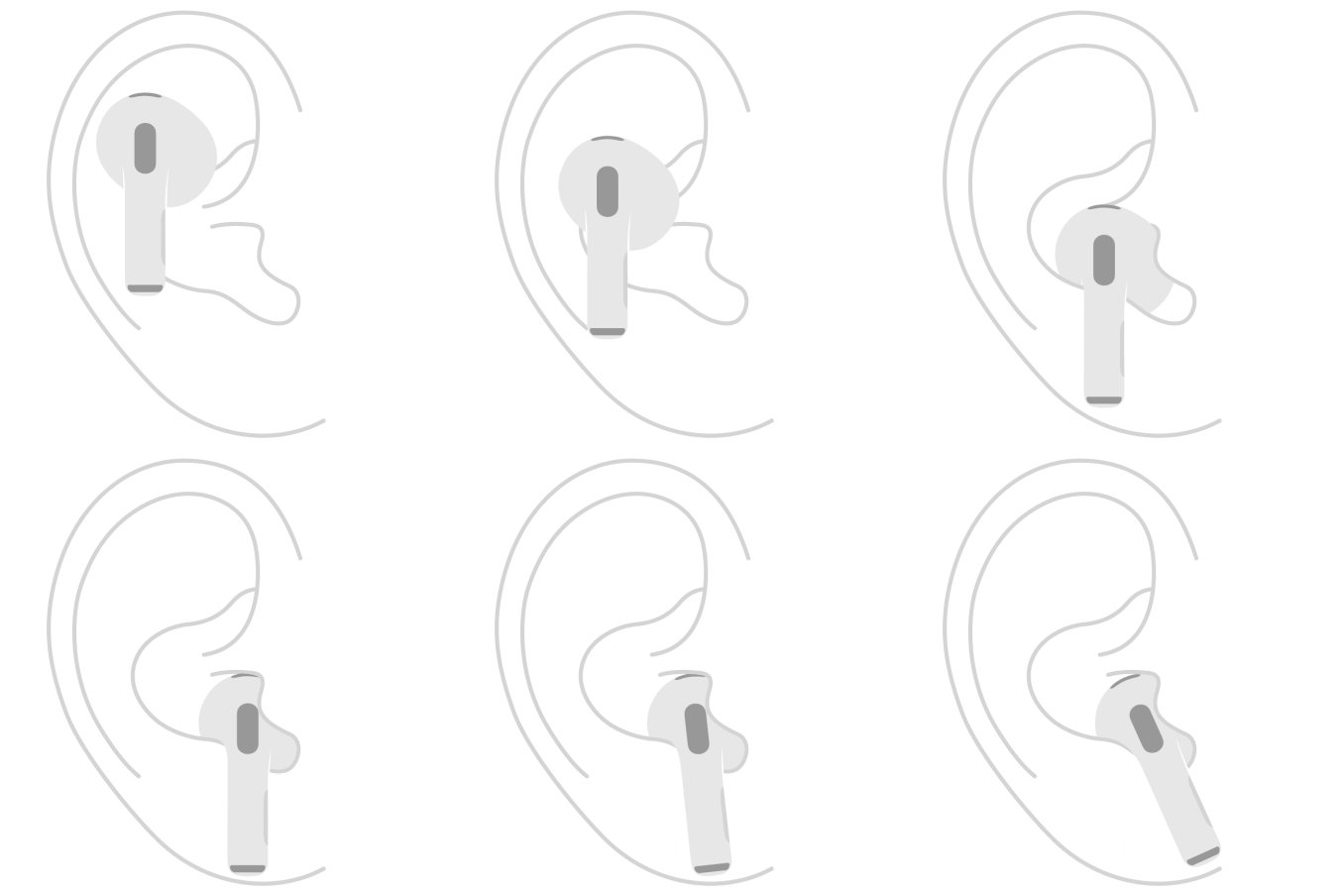
Finding the right fit with AirPods Pro ensures all-day comfort and delivers the best sound and noise cancellation. If you have AirPods Pro 3, a good fit also enables accurate heart rate readings.
AirPods Pro come with multiple ear tip sizes. You might prefer a smaller or larger size than the one preinstalled, or a different size in each ear. And if you’re not sure which tips work best, a test on your iPhone or iPad measures the acoustic seal for you.
Here’s what you need to know about getting the right fit with AirPods Pro.
Note: For fit guidance on another AirPods model, check out our article, Find the right fit with AirPods 3, AirPods 4, or AirPods 5.
Learn about AirPods Pro fit
When AirPods Pro fit properly, they should:
- Feel comfortable and secure during all-day wear.
- Create a good acoustic seal for optimal sound quality and noise cancellation. To learn which tips suit you best, you can test the acoustic seal of your AirPods Pro.
- For AirPods Pro 3 only, maintain good skin contact with the sensor for accurate heart rate readings.
Place AirPods in your ears
-
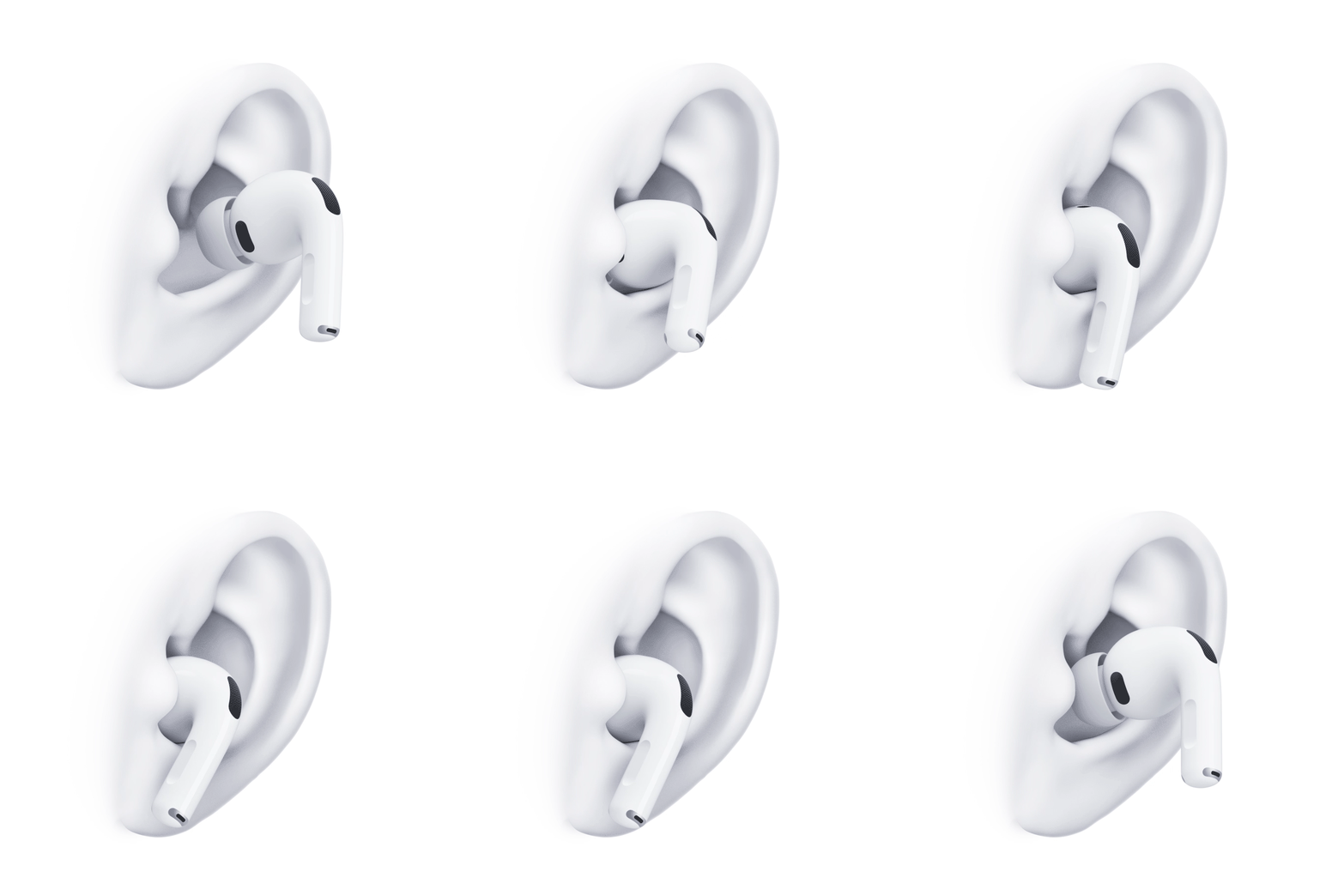
Gently insert the ear tip into your ear canal opening.
Each of your AirPods is marked with either L (left) or R (right).
- Rotate the stem toward your face.
- Press gently to secure the fit, adjusting the rotation and angle of each of your AirPods.
Check the fit and choose the best ear tip size
To get the best fit, AirPods Pro include several ear tip sizes, and AirPods that fit properly feel snug and secure without excessive pressure. Size M tips come preinstalled on all AirPods Pro, though a smaller or larger size might suit you better, or even a different size for each ear.
- To check the ear tip fit, wear your AirPods for 10 to 15 minutes during normal activity, such as walking.
-
Observe how they feel in your ears.
AirPods ear tips that are too small feel loose or fall out when you move your head. AirPods ear tips that are too big feel compressed or uncomfortable.
- If you experience any of the above, try a different size.
Test the acoustic seal of your AirPods Pro
A test on your iPhone or iPad can measure the acoustic seal of your AirPods Pro, which helps when you’re not sure which included ear tips give the best fit for sound.
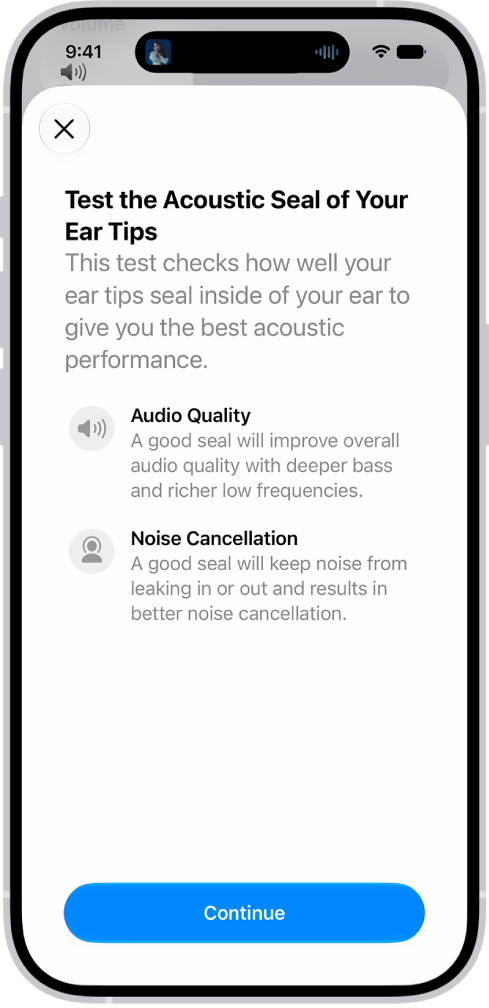
- Wear your AirPods Pro, and make sure they’re connected to your iPhone or iPad.
- Open the Settings app on your iPhone or iPad.
- Tap the name of your AirPods Pro near the top of the screen.
- Tap Test Acoustic Seal or Ear Tip Fit Test and then follow the onscreen instructions.
When the test suggests changes, start by adjusting the position of your AirPods Pro in your ears. Get the same result when you take the test again? Try a different size ear tip, since you might need different sizes for your left and right ears.
Optimize the fit of AirPods Pro 3 for accurate heart rate recording
For accurate readings, the built-in heart rate sensor in AirPods Pro 3 needs good skin contact. That’s why they come with five ear tip sizes.
Note: The ear tip size that’s best for acoustic seal may not be the best one for heart rate sensor accuracy.
The sensors on AirPods Pro 3 need to touch the skin inside your ear for good heart rate sensor contact, and your AirPods should feel snug but not tight.
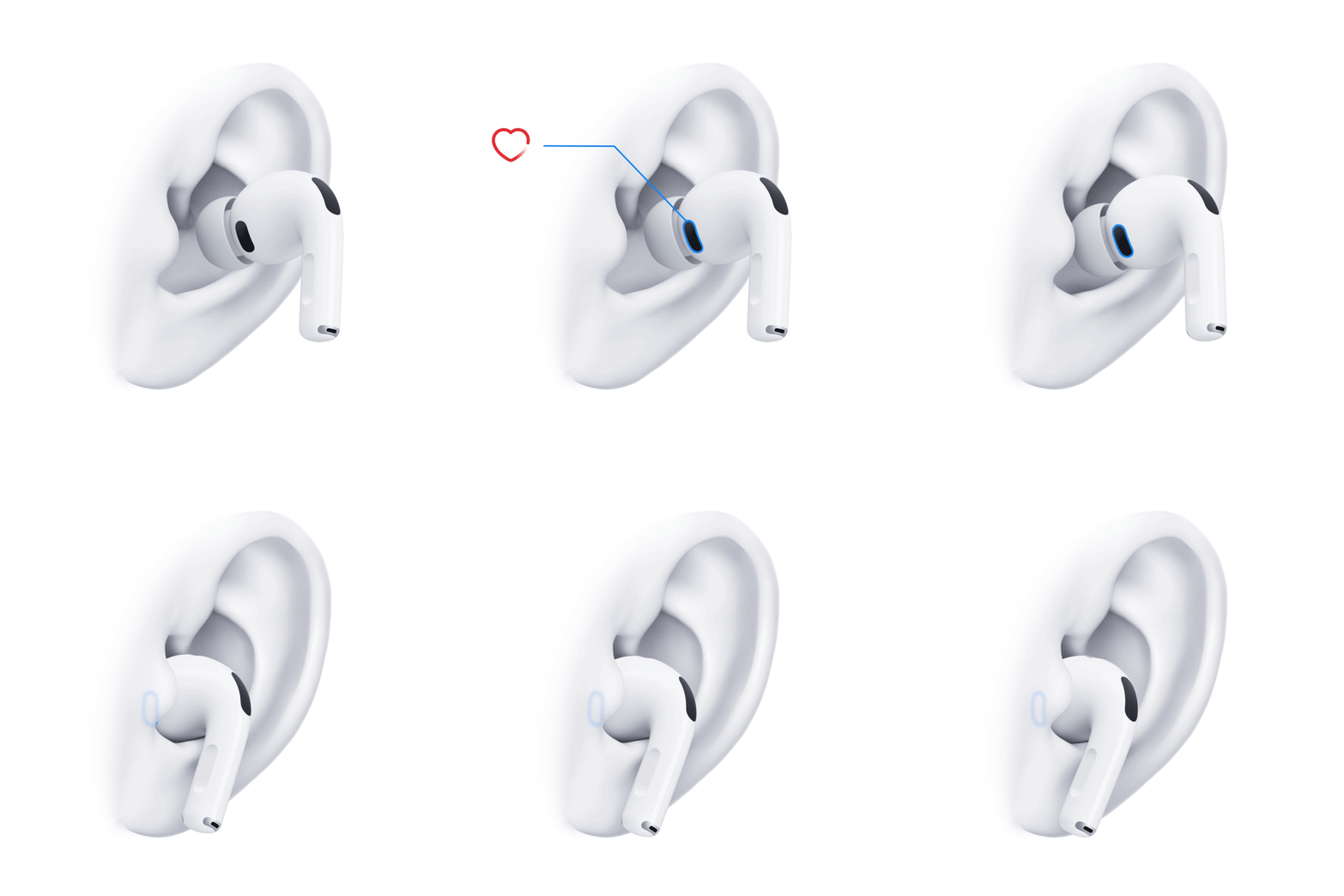
When heart rate recordings seem inaccurate or are intermittent, try the following:
- Try a different ear tip size. See Remove and attach ear tips on AirPods Pro.
- Check that the heart rate sensors are clean and dry.
- Use a mirror to check that AirPods Pro are fully inserted and the heart rate sensor makes contact with the skin inside your ear.
For more information, see Get the most accurate heart rate measurements using AirPods Pro 3.
See also