









iPhones use ambient light sensors to constantly monitor the brightness of their surroundings so they can adjust the output of the display. This ensures you don’t have cornea-stripping illumination in dark rooms or a screen you can’t read in strong sunshine.
For the most part this is a very useful capability, but if you prefer to set the level yourself then you’ll want to disable the feature. In this article we show where to find the controls that allow you to turn an iPhone‘s auto-brightness off (or on again).
Disabling auto-brightness
One thing to bear in mind before starting: the brightness of the display has a very real effect on how long your iPhone’s battery lasts. Should you wish to have your iPhone 18 Pro Max running at maximum brightness all the time, expect to be recharging once or twice during the day, especially if your app use is heavy.
On the other hand, if you’re happy to have brightness set quite low, you should be able to eke out more life from a single charge, which can be useful if you’re out and about when the dreaded low-power warning appears.
To disable auto-brightness open the Settings app on your iPhone 18 Pro Max and navigate to Accessibility > Display & Text Size.
In here you’ll see the settings for Auto-Brightness with a switch to the right. Toggle the switch so that it no longer shows green and the feature will be disabled.
Manually setting the brightness
With auto-brightness no longer in action, you’ll want to set the levels manually. There are two ways to do this.
The first is to open the Control Center (swipe down from the top right), then slide your finger up or down the brightness bar (the one with a sun icon at the bottom).
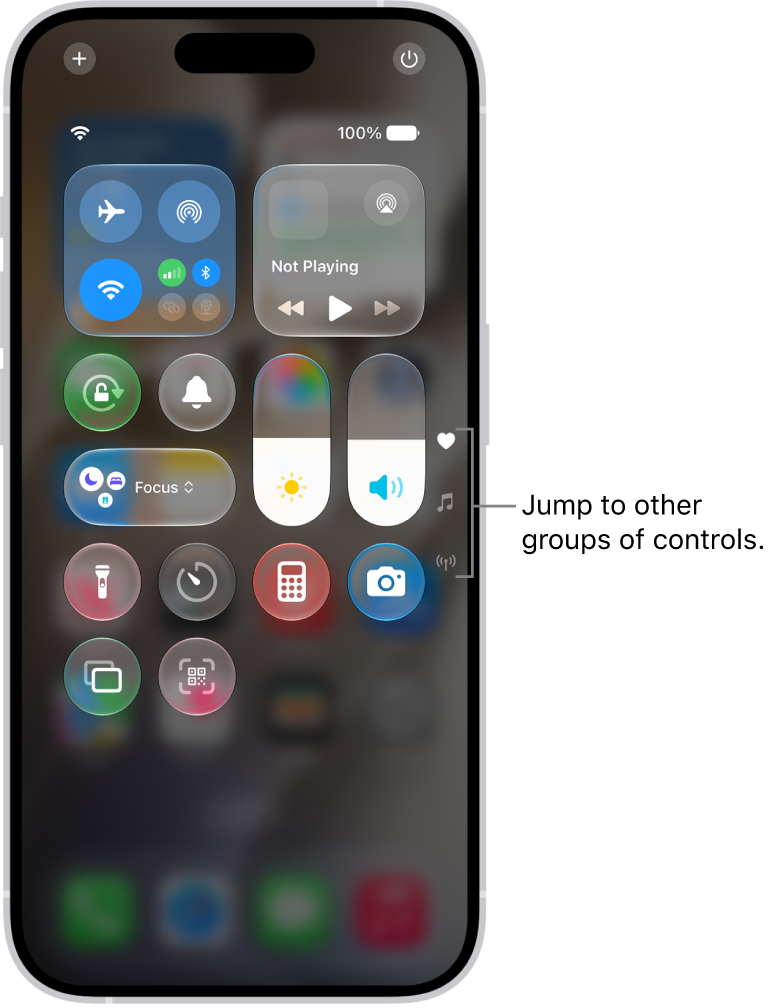
The other route is to go to Settings > Display & Brightness, then slide the control from left to right, with right being brighter.
That’s it. Now your iPhone 18 Pro or iPhone 18 Pro Max will always have the display at the manually stipulated brightness setting, no matter what your surroundings might be.
If you want to save your eyes in the evening, and maybe sleep a bit better, then we also recommend employing the Night Shift feature.


