Do you keep seeing “Location Not Available” while tracking a friend or family member’s location in iMessage or Find My on your iPhone 18 Pro or iPhone 18 Pro Max? It’s an issue that’s pretty easy to resolve. However, you may need to ask your friend or family member to take action on their device as well.
So without any further ado, let’s check out what it takes to fix the “Location Not Available” error on an iPhone. We’ll start with the steps you can try yourself, before moving onto what the person you’re trying to track needs to do.
How to Fix “Location Not Available” From Your Own iPhone 18 Pro Max
There isn’t a lot you can do yourself if Messages or the Find My app says “Location Not Available” when someone has chosen to share their iPhone location with you. But it’s still easiest to try these steps first, before involving somebody else.
Quit and Relaunch Find My or Messages
Sometimes, the Messages or the Find My app can bug out and result in the “Location Not Available” error. The quickest way to resolve that is to force quit and relaunch the app in question.
To force quit Messages or Find My:
-
Swipe up from the bottom edge and pause in the center of the screen to invoke the App Switcher.
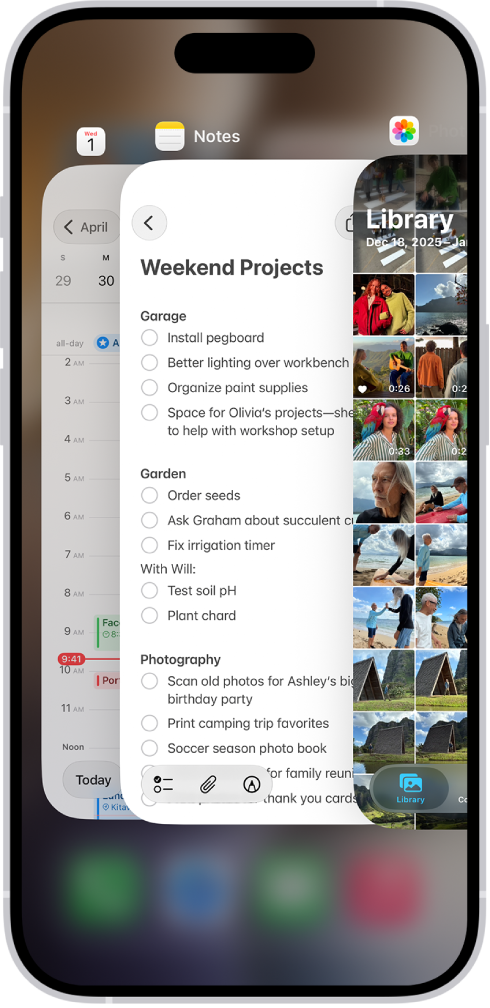
- Locate the Messages or Find My card and push it off the top of the screen to close it.
- Now go back to the Home screen and open Messages or Find My again.
Restart Your iPhone 18 Pro Max
If closing and reopening the relevant app didn’t work, you might need to restart your iPhone instead. To restart your iPhone, simply open the Settings app and tap General > Shut Down. Drag the slider to turn off iPhone. Once the screen goes black, wait for several seconds and hold the Side button until you see the Apple logo.
How to Fix “Location Not Available” From Someone Else’s iPhone
If the two fixes above didn’t help, you’ll need to shift your attention to your friend or family member’s iPhone. Walk them through the fixes below on a call. Or, share this post with them and make sure they follow the instructions in this section.
Toggle Share My Location Off and On
Disabling and re-enabling Share My Location in the Find My preferences can help an iPhone broadcast its location again. To do that, go to Settings and tap the person’s name at the top of the screen, then select Find My. Toggle the switch next to Share My Location off and then on.
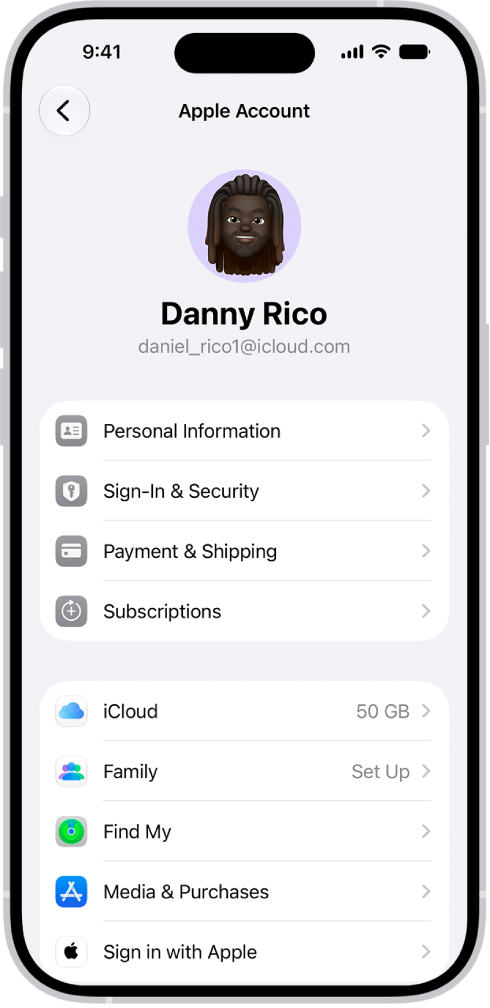
If you set up location sharing and others still can’t see your location, make sure Location Services is on in Settings > Privacy & Security > Location Services > Find My.
Share the Location in Messages and Find My Again
Next, disable and re-enable location sharing in the Messages or Find My app:
- In Messages: Open a chat with the person you want to share your location with. Tap the profile picture at the top of the chat and select Stop Sharing My Location. Now tap the Add button, tap Location, then tap Share.
-
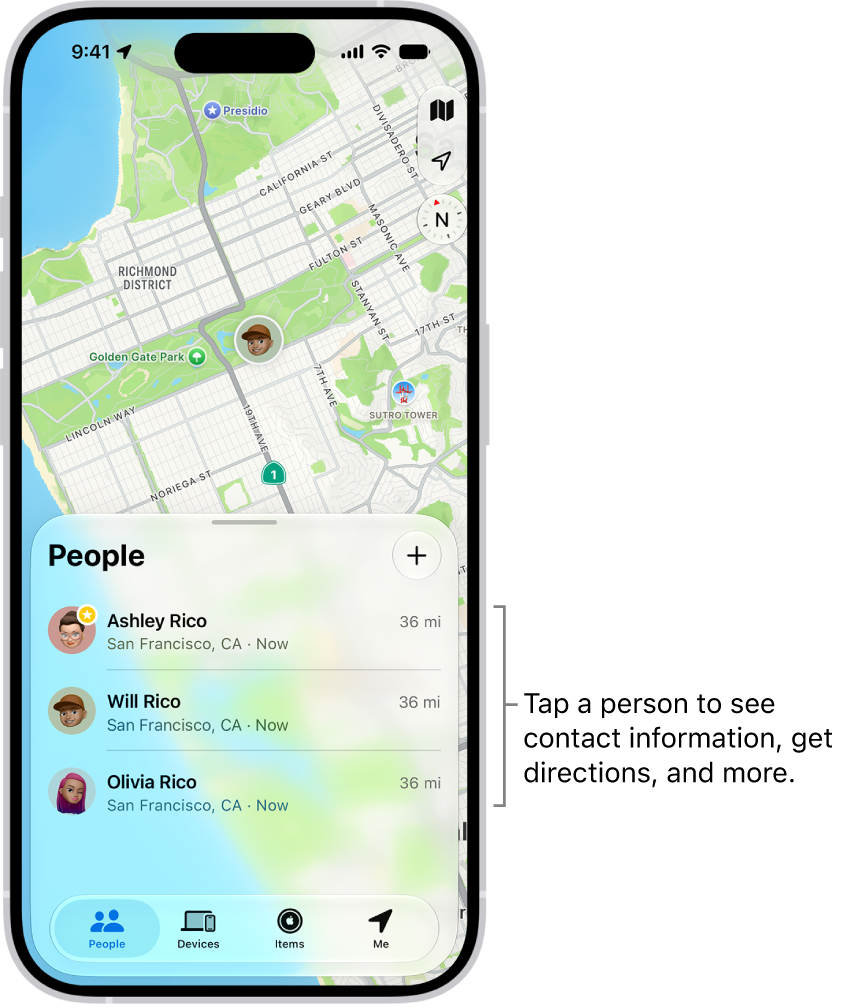
In Find My: Switch to the People tab, tap the name of the person you want to share your location with and select Stop Sharing My Location. Then, go back to the People tab, tap the Add button, Share My Location, and choose a contact.
Restart the iPhone
The simplest method is to go to Settings > General > Shut Down. Drag the slider to turn off iPhone. Then, press and hold the Side button to restart the iPhone.
Check the Date and Time
An incorrect date or time can create issues with location sharing. To check this, go to Settings > General > Date & Time. If the date or time is wrong, turn on the switch next to Set Time Automatically to get the correct date and time from Apple’s servers. If this doesn’t help, deactivate the switch and set the correct time manually.
Switch to Cellular Data
Spotty Wi-Fi can also play a factor, so try using cellular or mobile data instead. To do that, open the iPhone’s Control Center (swipe down from the top-right of the screen) and tap the Wi-Fi icon to disable it.
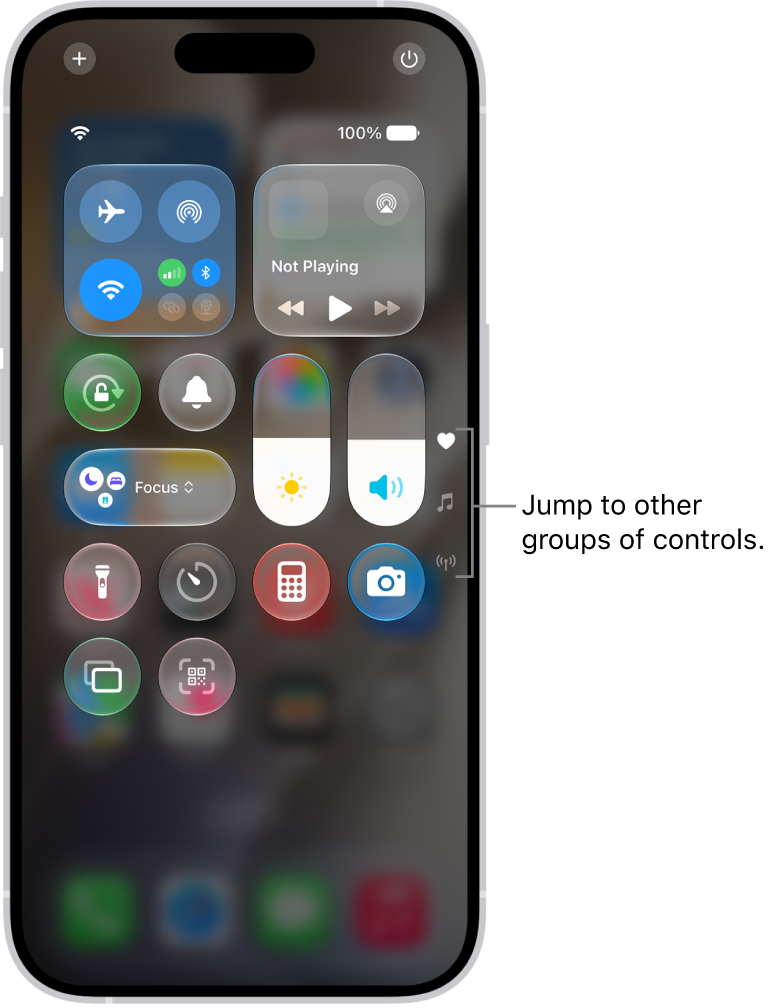
If cellular data is active, the iPhone should automatically start using it. If not, tap the Cellular icon to activate it. Just make sure you don’t have any cellular data problems on your iPhone 18 Pro or iPhone 18 Pro Max as well.
Sharing Your Location Isn’t Always Wise
Location tracking can be a double-edged sword. Although it enables valuable features such as location sharing in iMessage and Find My, various third-party apps and services can also use your location for nefarious purposes.