If you have received a FaceTime call from strangers you are far from alone in the problem.
Some FaceTime users – including myself – have been receiving group FaceTime calls from unknown numbers.
I received a group FaceTime call. There were seventeen other participants. I obviously didn’t answer because I was immediately suspicious, so I don’t know what the nature of the call was. But I knew it was suspicious.
It appears I am not alone, but I was lucky that the call came during the day. Apparently some users have received about twenty calls in the middle of the night.
We addressed the problem by blocking every contact included in the group call (we’ll explain how to do that below). This did stop the problem for us, but there have been reports that the callers then switch to another number and redial.
Go to the Settings app on your iPhone. Tap Apps, then tap FaceTime. Turn on Silence Unknown Callers. Calls from unknown numbers are silenced, sent to voicemail, and displayed on the Recents list. Incoming calls will continue to ring from people in your contacts, recent outgoing calls, and Siri Suggestions.
It is possible to block a caller on FaceTime.
How to block someone on FaceTime
Follow these steps to block someone on FaceTime:
-
Open the FaceTime app on your iPhone 18 Pro or iPhone 18 Pro Max.
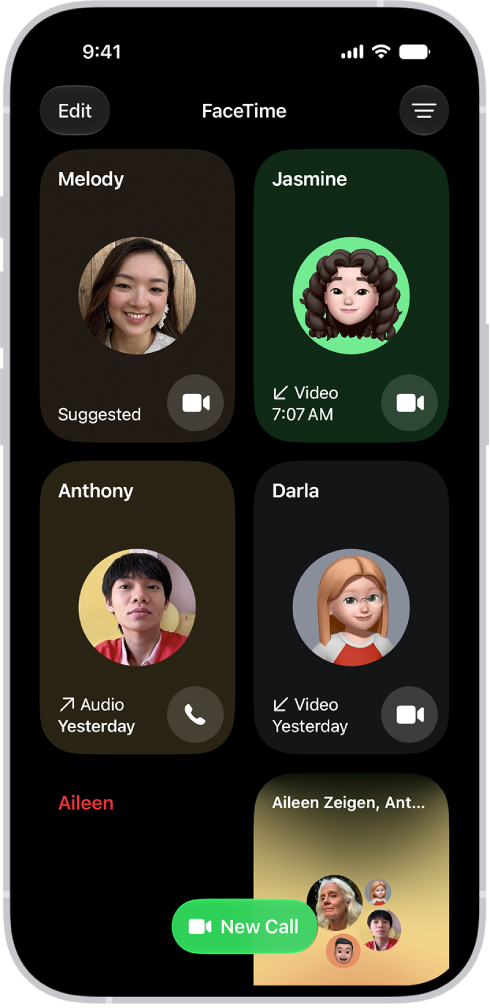
- After a Group FaceTime call has ended: Tap the call in the call history, then tap Block All Participants.
Frustratingly it isn’t possible to see which of your aliases the person is using to contact you. But, if you were aware that the nuisance caller was using one of the email addresses you have associated with FaceTime to contact you, you could just remove that from the ‘You can be reached by FaceTime at’ section.
In our case we assume that they were using our iCloud address because the long list of participants were all iCloud addresses. (They were also all called Karen, which might suggest that a data leak has taken place). There were also a number of UK phone numbers included too. In total there were 17 participants.
How to remove FaceTime contact details
Here’s how to remove one of your FaceTime addresses:
- Go to Settings > Apps > FaceTime.
-
Tap on any of the contact addresses or numbers you don’t wish to be contacted on. The tick/check will be removed from that address to indicate it will not be included.
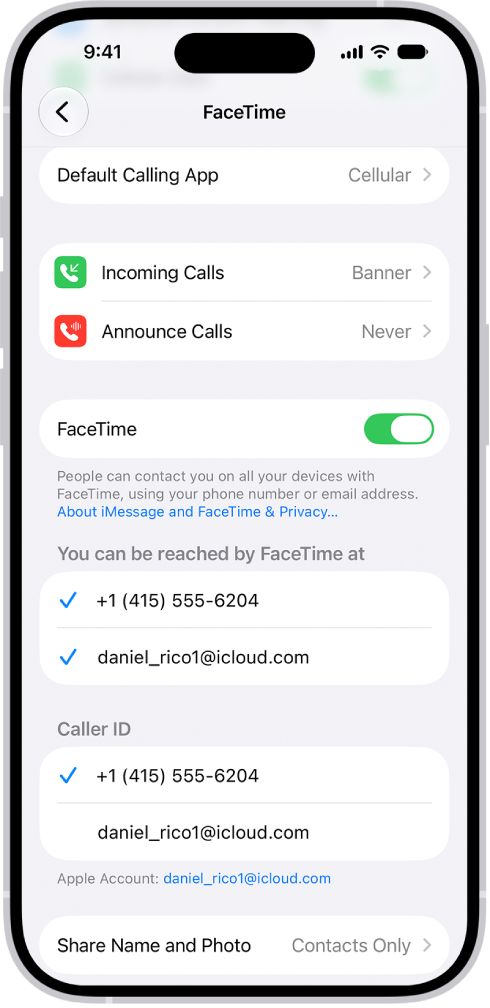
Just be aware that if someone you know tries to contact you via the address you remove from your FaceTime settings they won’t be able to reach you.
If you do not like FaceTime, you can of course turn off the service completely.