Got a tip for us?

Stacey Butler

Stacey is a senior staff writer at GeeksModo and has been writing about Apple for nearly a decade. She covers all things Apple for GeeksModo, including iPhones, iPads and Mac. Based in Honolulu, Hawaii, Stacey is often found hiking precarious landscapes or tinkering with a camera.

Stacey Butler's Articles

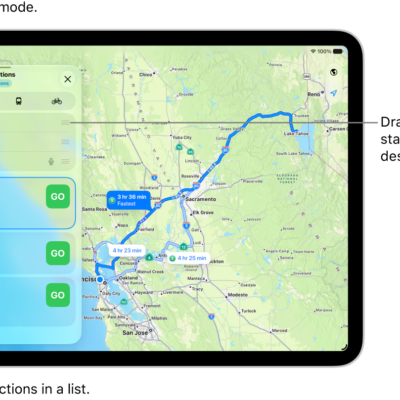
An iPhone showing a map with several driving route options to the same destination. Each route shows the estimated time and distance, and a Go button to start turn-by-turn directions. Color coding on each route indicates traffic conditions.

How to check traffic conditions and report traffic incidents in Maps on iPhone

You can check traffic conditions in Maps on iPhone and report accidents, hazards, and speed checks, or report when they're cleared.
A screen showing a document being scanned. The Take Picture button is at the bottom center.

How to work with PDFs in Notes on iPhone

You can attach, view, edit, annotate, and collaborate on PDFs in Notes on iPhone, including scanned documents.
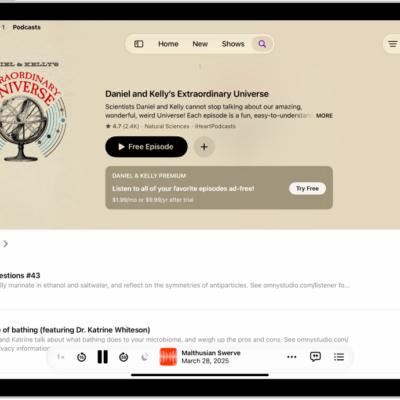
The Search tab in the Podcasts app, showing podcast categories. Toward the bottom of the screen is the MiniPlayer. Below that are the Home, New, Library, and Search buttons.

How to find podcasts on iPhone

You can search for and browse podcasts on iPhone, follow shows to add them to your library, and listen offline.
The Photos app is open to the photo library grid. At the bottom of the screen, from left to right, are buttons to view the library by Years, Months, and All buttons. In the bottom-right corner is the Search button.

How to apply star ratings to photos and videos on iPhone

You can turn on star ratings in Photos on iPhone, rate photos and videos from 1 to 5 stars, and filter your library by rating.
The Now Playing screen with the Reactions button showing several emoji and an Add button that you can click to find more emoji.

How to add a reaction to a collaborative playlist in Music on iPhone

You can react to songs in a collaborative playlist with emoji from the Now Playing screen on iPhone if you subscribe to Apple Music.
A magazine story from Apple News+. In the tabs across the bottom, News+ is selected.

How to use Offline Mode to read downloaded News content on iPhone

You can use Offline Mode to read downloaded News content on iPhone as an Apple News+ subscriber, like on a flight.
An iPhone with the Mail app open. An email is displayed with large, bold text.

How to customize visual accessibility settings for specific apps on iPhone

You can choose different color, text size, and motion settings for specific apps, or for the Home Screen and App Library, on iPhone.
Wallpaper Suggestions is open in the Photos app. Automatically generated combinations of photos, filter effects, and clock face fonts appear in a grid of suggestions.

How to get wallpaper suggestions in Photos on iPhone

You can get wallpaper suggestions in Photos on iPhone that stylize photos of your favorite people and pets for your Lock Screen and Home Screen.
A collaboration invitation to a recipe in Notes, showing Share a Link for the share option and "People you choose can edit" as the access and permission setting. Below that, four different ways to share the note are presented: AirDrop, Messages, Mail, and Reminders.

How to share content in Messages on iPhone

You can share images and links in Messages on iPhone, and find content shared with you in Shared with You in apps like Photos and
A movie playing on the iPhone screen. In the middle of the screen are the playback controls. The AirPlay button is near the top left.

How to watch TV in the Apple TV app on iPhone

You can stream TV shows, movies, and sports, and download movies, episodes, or full seasons in the Apple TV app on iPhone.