Getting to know the IMEI of your iPhone 18 Pro or iPhone 18 Pro Max is a useful trick – and quite possibly essential, if you’re unlocking your iPhone – but it became slightly more difficult a few years ago when Apple stopped printing the number on the back of its phones.
But there are still several different ways to find the IMEI of an iPhone, and in this article we show the simplest and most useful. You’ll only need one, of course, so pick the method that’s easiest for you.
What’s an IMEI, and what is it used for?
Every iPhone has a unique identifier code, known as an IMEI number. The letters stand for International Mobile Equipment Identity, and the number is used to identify each mobile phone.
The IMEI number is used by your mobile phone company to match the phone to the networks, so it can figure out who is making calls. It is also used to maintain a blacklist of stolen mobile phones.
Find your IMEI by dialling a code
You can retrieve the iPhone’s IMEI number by dialling the code *#06# into the Phone app. Follow these steps:
-
Open Phone app.
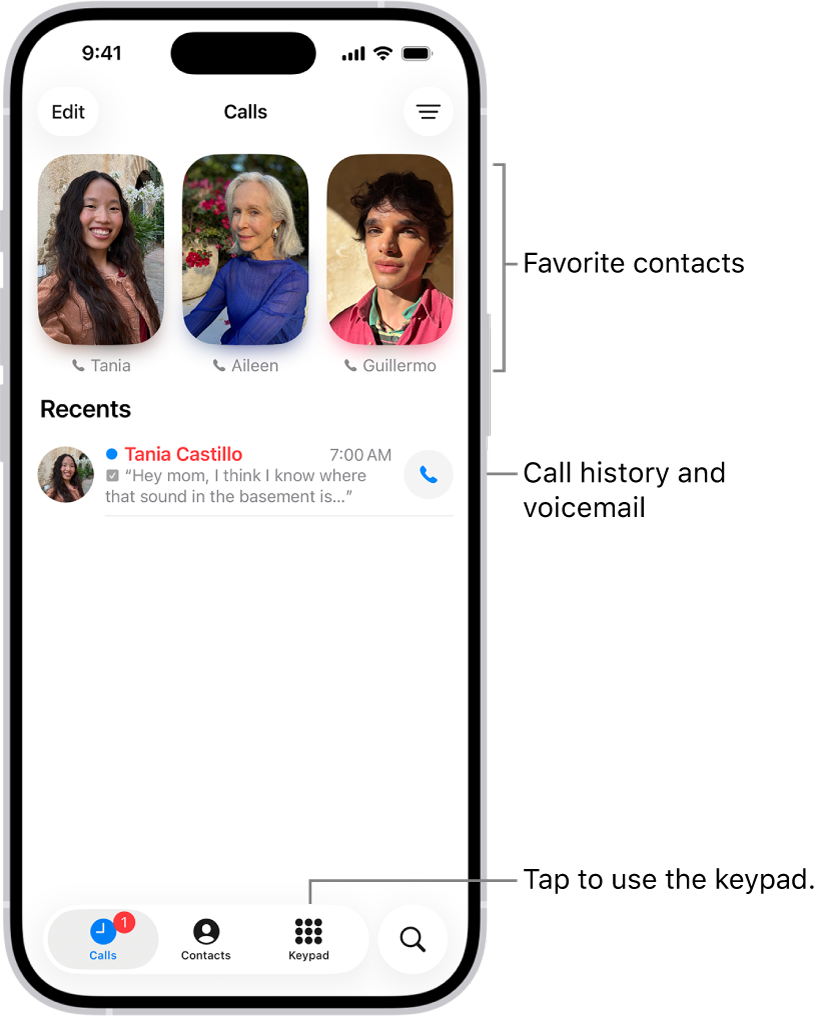
- Tap Keypad.
- Enter *#06# – you don’t need to hit the green call button; it’ll just register automatically.
The IMEI code will then appear on the screen.
Dialling a code is the most commonly described method of finding the IMEI number, but we don’t think it’s the best because you can’t copy the number. Instead of being able to copy and paste the code you have to write it down – and it’s long enough, at 15 digits, for this to be annoying.
On the bottom of the SIM tray
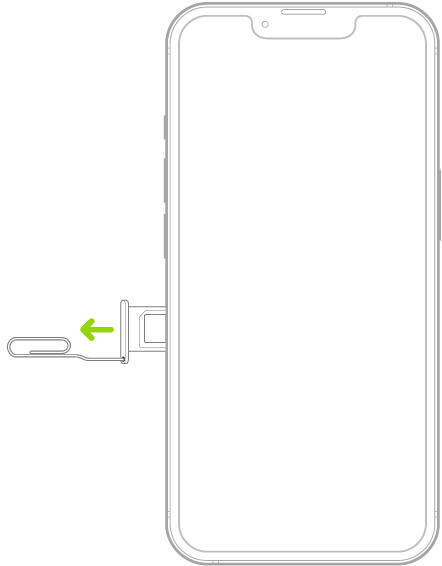
On supported models, the IMEI is also printed on the SIM card tray.
Insert a paper clip or SIM eject tool into the small hole of the SIM tray, then push in toward iPhone to eject the tray. Carefully take out the SIM card and turn the tray over. The IMEI will be written on the underside of the tray, rather small.
Note: iPhone 18 Pro Max models purchased in the United States can only be activated with an eSIM.
Once again, you’ll obviously need to write it down laboriously by hand, and again, it’s written very small. Let’s find a method that’s easier on the eyes.
Use iOS Settings
The IMEI number is also located in the iPhone’s Settings app. Using Settings is probably the best option because it enables you to copy and paste the number. Follow these steps:
- Open Settings.
- Tap General > About.
- Scroll down to locate the IMEI number.
- Tap and hold the IMEI number to bring up a Copy bubble.
- Tap Copy.
Now you can paste the IMEI code into another app, such as Notes.
How to find the IMEI if your iPhone 18 Pro Max is lost or stolen
One of the principal situations in which an IMEI is needed is when you’re reporting the theft of the device.
Go to account.apple.com in a web browser. Sign in to the Apple Account that you use on your device. Choose the Devices section. To see the serial number, EID, and IMEI/MEID, select the device.