To personalize your experience, add your name, date of birth, sex, blood type, and other basic information to Health Details. When you first open Health, you’re asked to provide this basic information, and you can fill in anything you skipped later on the Health Details screen.
Fill out the Health Details screen
The first time you open Health, you’re asked to provide basic health information about yourself. Didn’t supply all of it? You can add the rest later on the Health Details screen.
- Go to the Health app on your iPad.
- Tap Summary in the sidebar and tap Profile next to your picture or initials at the top left.
-
Tap Health Details and tap Edit.
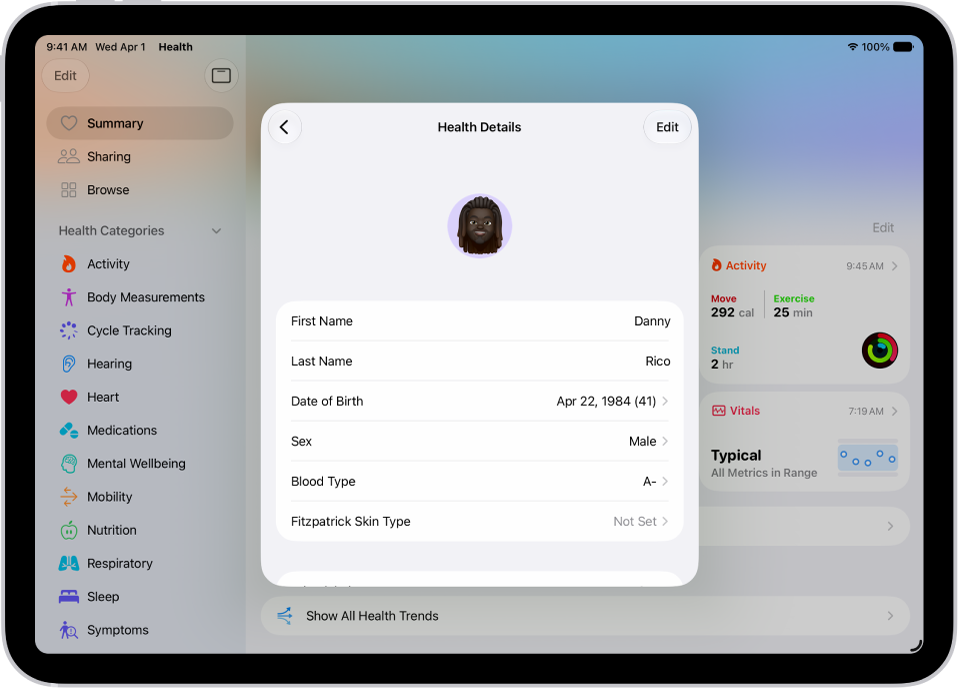
- To make a change, tap a field.
- When you’re finished, tap the Checkmark button. Then swipe down to exit.
See also
Tag: Health