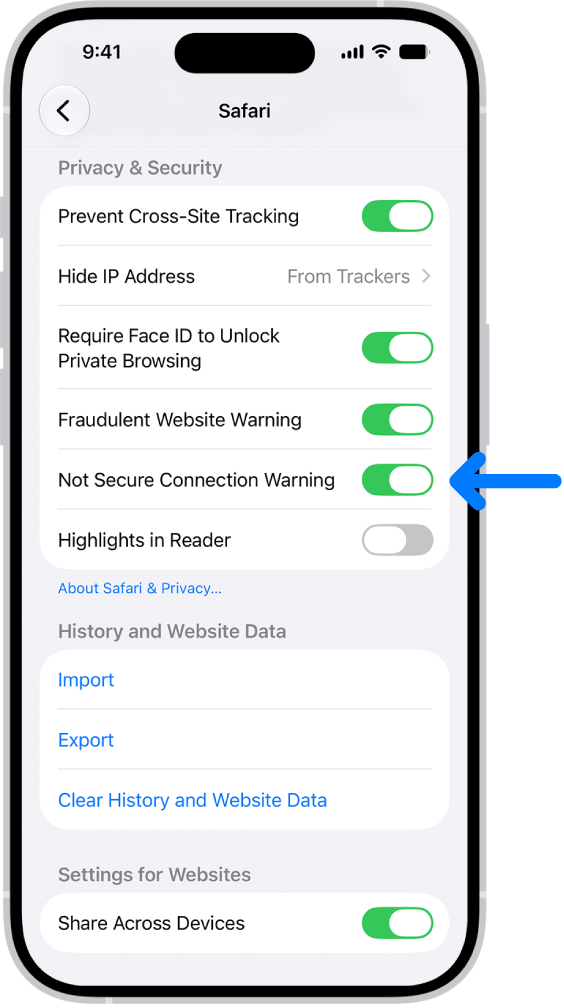
Websites use HTTP or HTTPS to transmit information to and from Safari, and HTTP doesn’t provide a secure connection. You can choose to receive a warning when you visit websites that use HTTP , with a setting called Not Secure Connection Warning.
Start the Settings app on your iPhone.
Tap Apps, then tap Safari.
Below Privacy & Security, turn on Not Secure Connection Warning.