You can save news stories to read later, and Apple News+ subscribers can even read saved stories in Offline Mode.
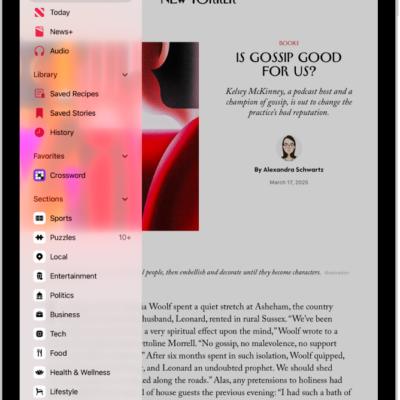
You can read a saved story anytime from Saved Stories in the sidebar, and delete a saved story when you’re done with it. You can also remove all saved stories at once, and search for channels, topics, stories, or recipes in News.
Here’s how to save stories in News on iPad.
Save a story
- Start the News app on your iPad.
- When reading a story, do one of the following:
- In landscape orientation: Tap the Save button.
- In portrait orientation: Tap the Save button and then tap Save Story.
Read a saved story
- Start the News app on your iPad.
- Tap Saved Stories in the sidebar and then tap the story.
Delete a saved story
- Start the News app on your iPad.
-
Tap Saved Stories in the sidebar.
If you don’t see the sidebar, tap the Sidebar button.
-
Do one of the following:
- Delete one story: Swipe the story left.
- Remove all saved stories: Tap Clear and then tap Clear Saved Stories.
See also
- Search for channels, topics, stories, or recipes in News on iPad
- How to subscribe to individual channels in News on iPad
Tag: News