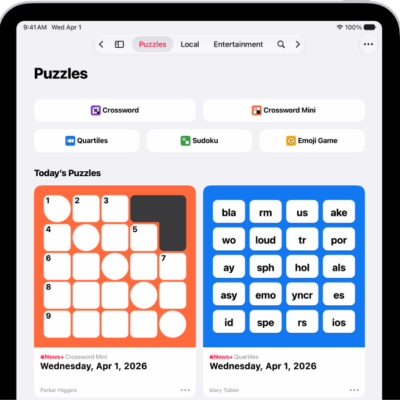
Apple News+ subscribers get access to a new Quartiles puzzle every day. Players select tiles containing two to four letters from a four-by-five grid to form words, and you can use up to four tiles per word. The more tiles you use, the more points you score.
A word formed from four tiles is called a Quartile and is worth 8 points, and when you find all five Quartiles, you get an additional 40 points. The object of the game is to earn the 100 points necessary to reach the Expert rank, though you can keep forming words and accumulating points after that. Not all possible words qualify, either, like proper nouns and profanity.
Note: Apple News, Apple News+, and puzzles aren’t available in all countries or regions.
Play Quartiles
- Start the News app on your iPad.
- Open a Quartiles puzzle.
-
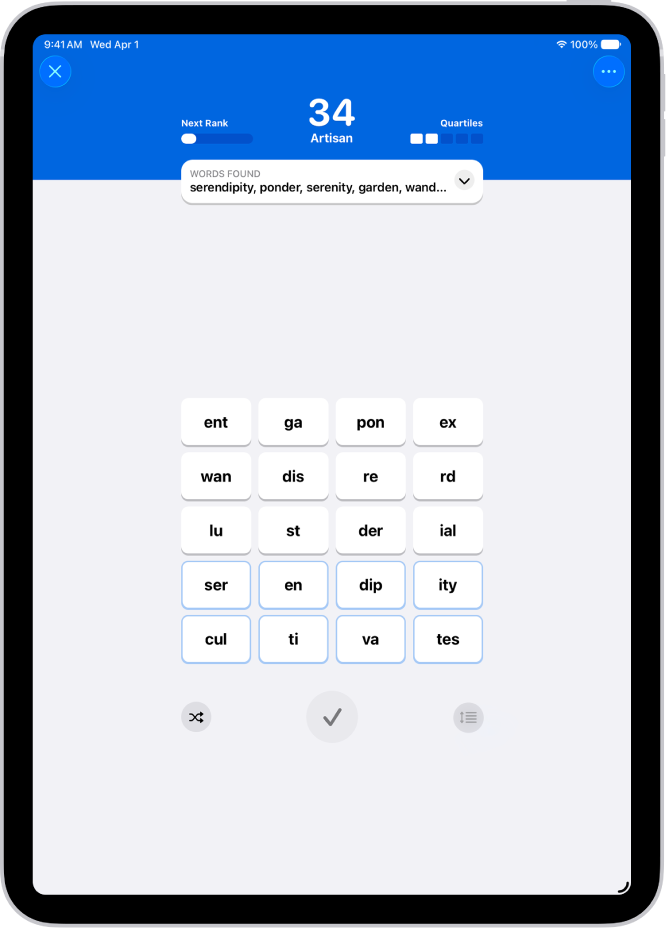
Tap tiles to create a word and then tap the Enter button to enter it.
For example, to score a single point, tap “pear,” then tap the Enter button. To score 2 points, tap “ap,” then “pear” to form the word, “appear.” Go for 4 points by tapping “ap,” “pear,” then “ance.” Complete the Quartile and score 8 points by spelling “disappearance.”
Completed words appear in the Words Found box, and any Quartiles you find appear in groups of four tiles.
Not all possible words qualify in Quartiles puzzles. For example, obscure and technical terms, proper nouns, and profanity never appear in the word list.
-
Do any of the following:
- Reorder your tiles: After you tap the tiles to place them above the grid, you can touch and hold. Then drag to reorder them.
- See points needed to move to the next rank: Tap Next Rank.
- Clear tiles you don’t want to use: Tap the Remove button.
- See how many words remain: When you reach the Expert rank, the Words Found box shows how many words you haven’t found.
- See each word’s points: Tap the Expand button in the Words Found box.
Quick tip: For a quick Quartiles tutorial, tap the More button, then tap How to Play. To open the Quartiles puzzle feed instead, tap More Puzzles.
Shuffle or group tiles
- Start the News app on your iPad.
- Open a Quartiles puzzle and start finding words.
- Quartiles you find are anchored to the bottom of the grid. If you’d rather anchor them to the top of the grid, tap the More button. Then choose Sort Found Quartiles.
- Tap the Shuffle button to shuffle tiles that aren’t part of found Quartiles.
- To shuffle all tiles in the grid, tap the Arrangement button to turn off anchoring. Tap the Shuffle button.
Reveal all words
- Start the News app on your iPad.
- Open a Quartiles puzzle.
- Tap the More button and tap Reveal All Words. The words you didn’t find are shown.
- If you reveal before you reach Expert rank: The puzzle doesn’t count in your Scoreboard stats and streaks.
- If you reveal after you reach Expert rank: Your stats or streaks aren’t affected.
See also
- Find puzzles in Apple News+ on iPad
- Solve crossword and crossword mini puzzles in News on iPad
- Solve sudoku puzzles in News on iPad
- How to subscribe to individual channels in News on iPad