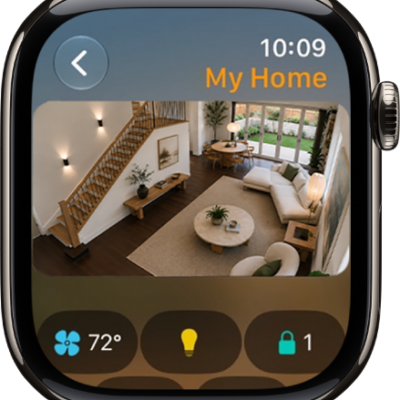
You can ask Siri to complete actions in apps to help you perform everyday tasks and shortcuts with your voice. With Siri AI, Siri’s personal context understanding and on-screen awareness help it take action in apps, so you can quickly get things done.
Use Siri to perform everyday tasks
Siri: On your Apple Watch, activate Siri, then see the ideas below for requests you can make.
-
Add a reminder
Ask Siri to add an ingredient to the groceries list or remind you to do something at a specific time or place. For example, “Add broccoli to my groceries list.” or “Remind me to pick up my dry cleaning at 5 p.m.”
-
Create or change calendar events
Ask Siri to set up a calendar event. For example, “Create a calendar event titled FaceTime with Mom for May 20 at 4 p.m.” or “What’s my next event?”
-
Set an alarm
Ask Siri to set alarms and timers. For example, “Set repeating alarm for 6 a.m.”
-
Set timers
Ask Siri to set alarms and timers. For example, “Set a 12 minute pizza timer” or “Set a timer for 20 minutes.”
-
Send messages
Ask Siri to send messages. For example, “Tell Kathleen I’m almost finished” or “Reply, that’s great news.”
-
Make phone calls
Ask Siri to make phone calls. For example, “Call Max”, “Dial 555 555 2949”, or “Call Pete FaceTime audio”.
-
Get directions
Ask Siri to get travel directions and find nearby attractions. For example, “Get directions home”, “Find coffee near me”, or “How long will it take me to get home?”
-
Check stocks
Ask Siri to get information about the stock market. For example, “What was today’s closing price for Apple stock?”
-
Create notes
Ask Siri to create a new note. For example, “Siri, start a new note.”
Take action with Siri AI
With Siri AI turned on, Siri can take action in apps to help you quickly get things done, thanks to personal context understanding and on-screen awareness. It also suggests what you might want to do next, like calling into a meeting or confirming an appointment.
Note: Siri AI is available in beta on watchOS 27 or later on Apple Watch Series 9 and later, Apple Watch Ultra 2 and later, and Apple Watch SE 3 when paired with an Apple Intelligence-enabled iPhone 15 Pro, iPhone 15 Pro Max, or iPhone 16 model or later with Siri and device language set to a supported language. Available in English to start. Siri AI will not initially be available in the EU on iOS and watchOS. Usage limits may apply.*
Siri AI: On your Apple Watch, activate Siri, then tell Siri what you want to get done. See the ideas below for requests you can make:
- “Cancel my lunch with Jasmine tomorrow.”
- “Update my exercise goal to 45 minutes.”
*Apple Intelligence is available with Siri and device language set to Chinese (Simplified), Chinese (Traditional), Danish, Dutch, English, French, German, Italian, Japanese, Korean, Norwegian, Portuguese, Spanish, Swedish, Turkish, or Vietnamese. Some features may not be available in all regions or languages. Some devices may not be available in all regions. Siri AI is available in beta in iOS 27, iPadOS 27, macOS 27, watchOS 27, and visionOS 27 and requires an Apple Intelligence–enabled device set to a supported language. Available in English to start. Siri AI will not be initially available in the EU on iOS, iPadOS, and watchOS. Certain Apple Intelligence features that rely on server-side models are subject to daily usage limits, including but not limited to Siri AI, Intelligent Photo Editing Tools, Image Playground, and AFM 3 Cloud models in Shortcuts. Daily limits may vary by feature, request complexity, system demand, system policies, and other factors. Expanded access to such features will be available for a fee in the future. Use of these features is subject to the Apple Intelligence Terms and Conditions.
See also