The electricity powering your home comes from different sources, which can include renewable energy, like solar and wind, or fossil fuels, like coal and natural gas, and those sources can change throughout the day. In the Home app on your iPad, you can see a forecast for your area that highlights cleaner times, which can help reduce carbon emissions, and less clean times, to help you choose when to use electricity.
To view the Grid Forecast, you must be connected to the internet, with Location Services turned on for the Home app. You can also get notified when cleaner energy is powering your home.
Note: Grid Forecast is available only in the contiguous United States; it’s not available in Alaska or Hawaii.
Show Grid Forecast
- Open the Home app on your iPad.
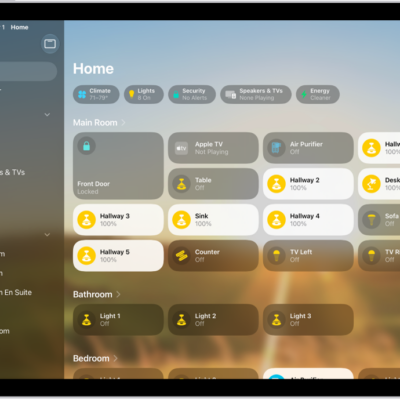
- Tap the Home tab.
-
Tap the Energy category to show the Grid Forecast widget.
Green bars in the widget indicate when cleaner energy is available in your area—from 4 p.m. until 10 p.m., for example. If there are no bars, cleaner energy isn’t forecast for the near future.
When you’re traveling, Grid Forecast gives you energy information for both your home location and your iPad’s location.
Note: Until you add accessories to your home, you’ll see the Grid Forecast widget when you open the Home app.
Receive Grid Forecast notifications
To receive notifications when the electricity powering your home is being generated by cleaner or more renewable sources of energy, tap the Notifications button in the Grid Forecast widget in the Home app, then tap Notify Me.
Turn off Grid Forecast
Open Home Settings, tap Energy, then turn off Show Grid Forecast.
See also