









The People album in the Photos app on Apple devices serves a great purpose by helping you browse through pictures of different people. Your iPhone or Mac relies on facial recognition software to sort through photos in your gallery to create the albums. But it doesn’t always do so perfectly.
While syncing photos between multiple Apple devices, Photos might mistakenly create multiple albums for the same person. This can also happen if you’ve got particularly blurry pictures of someone or if they change their look with a new hairstyle, glasses, or facial hair.
If that happens, here’s how you can fix it by merging multiple people together in the Photos app on your iPhone or Mac.
How to Merge Multiple People in Photos on an iPhone 18 Pro Max
Luckily, it’s easy to fix duplicate people albums in Photos by merging them together. You can even merge People albums for totally different people into one, if you want to create one album for your entire family or group of friends. Follow these steps to merge different People albums into one on an iPhone:
-
Open Photos and go to Collections > People & Pets (or People) and tap Edit.
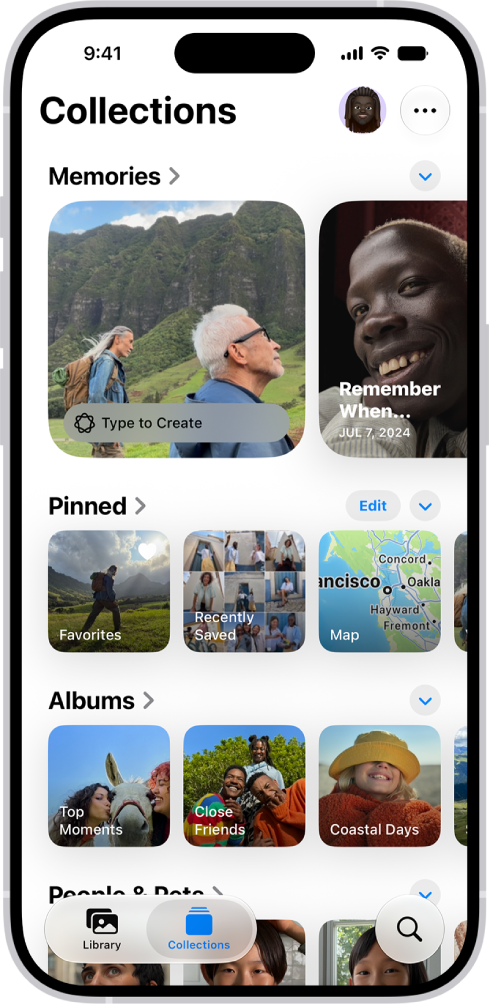
- Select the people you want to merge.
- Tap the More button in the bottom-right corner, then tap Merge.
- Tap Merge All Photos to confirm (even if they aren’t the same person and you want to merge them anyway).
Sort Through Your Photos by People
Merging multiple albums is quick and easy to do. All you have to do is select the profiles you want to merge together, then choose to Merge them together.
Merging albums of people will ensure your gallery is organized and error-free. Or you can use the option to create an album of a specific group of people together, though it’s usually best to use the Search feature for that.


