








Got a tip for us?

GeeksModo Story Archive - October 2026
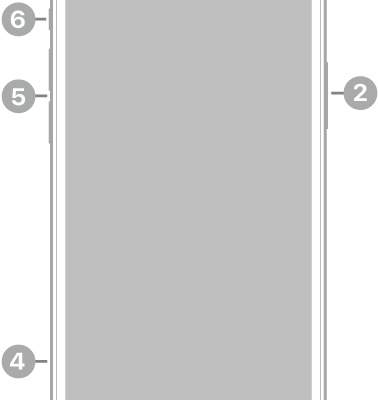
The front view of iPhone 12. The front camera is at the top center. The side button is on the right side. The Lightning connector is on the bottom. On the left side, from bottom to top, are the SIM tray, the volume buttons, and the Ring/Silent switch.

iPhone 12 hardware: buttons, cameras, and ports

You can find the cameras, buttons, and other essential hardware features on iPhone 12, plus links to help you get started.

The front view of iPad Pro with callouts to the front camera at the top center, the top button at the top right, and the volume buttons on the right.

iPad Pro 12.9-inch (4th generation) hardware: buttons, cameras, and ports

You can learn the location of the cameras, buttons, and other essential hardware features on iPad Pro 12.9-inch (4th generation).
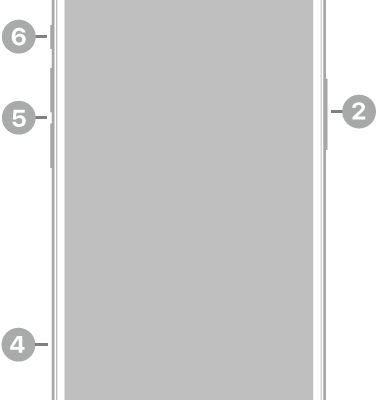
The front view of iPhone 14. The front camera is at the top center. The side button is on the right side. The Lightning connector is on the bottom. On the left side, from bottom to top, are the SIM tray, the volume buttons, and the Ring/Silent switch.

iPhone 14 hardware: buttons, cameras, and ports

You can find the cameras, buttons, and other essential hardware features on iPhone 14, plus links to help you get started.
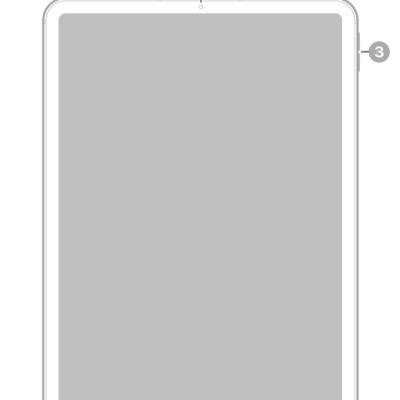
The front view of iPad Pro with callouts to the front camera at the top center, the top button at the top right, and the volume buttons on the right.

iPad Pro 11-inch (4th generation) hardware: buttons, cameras, and ports

You can learn the location of the cameras, buttons, and other essential hardware features on iPad Pro 11-inch (4th generation).

The front view of iPad with callouts to the front camera at the top center, the top button at the top right, the volume buttons on the right, and the Home button/Touch ID at the bottom center.

iPad (9th generation) hardware: buttons, cameras, and ports

You can learn the location of the cameras, buttons, and other essential hardware features on iPad (9th generation).
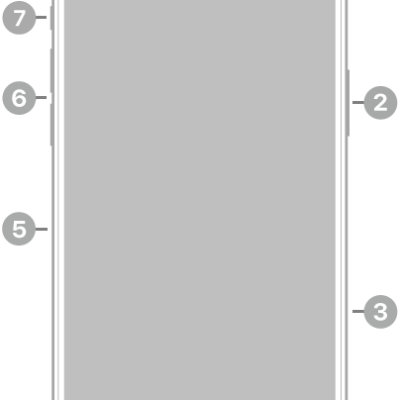
The front view of iPhone 16 Pro Max. The front camera is at the top center. The side button and the Camera Control are on the right side. The USB-C connector is on the bottom. On the left side, from bottom to top, are the SIM tray, the volume buttons, and the Action button.

iPhone 16 Pro Max hardware: buttons, cameras, and ports

You can find the cameras, buttons, and other essential hardware features on iPhone 16 Pro Max, plus links to help you get started.

The front view of iPad Pro with callouts to a microphone at the top center, the top button and Touch ID at the top right, the volume buttons at the top right, the front camera and microphone at the center right, and a microphone near the bottom right.

iPad Pro 11-inch (M4) hardware: buttons, cameras, and ports

You can learn the location of the cameras, buttons, and other essential hardware features on iPad Pro 11-inch (M4).
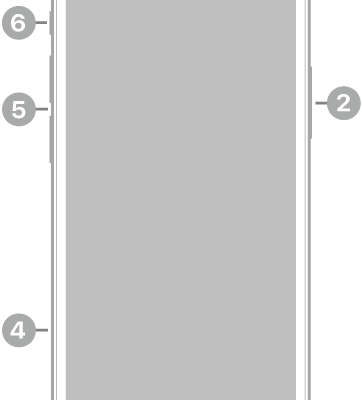
The front view of iPhone 12 mini. The front camera is at the top center. The side button is on the right side. The Lightning connector is on the bottom. On the left side, from bottom to top, are the SIM tray, the volume buttons, and the Ring/Silent switch.

iPhone 12 mini hardware: buttons, cameras, and ports

You can find the cameras, buttons, and other essential hardware features on iPhone 12 mini, plus links to help you get started.
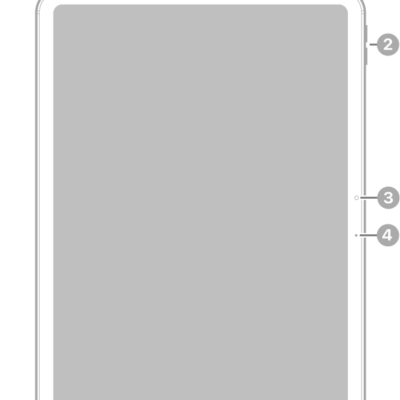
The front view of iPad Air with callouts to the top button and Touch ID at the top right, the volume buttons near the top right, the front camera at the center right, and the microphone on the right.

iPad Air 11-inch (M3) hardware: buttons, cameras, and ports

You can learn the location of the cameras, buttons, and other essential hardware features on iPad Air 11-inch (M3).
The front view of iPad Air with callouts to the top button and Touch ID at the top right, the volume buttons near the top right, the front camera at the center right, and the microphone on the right.

iPad Air 11-inch (M2) hardware: buttons, cameras, and ports

You can learn the location of the cameras, buttons, and other essential hardware features on iPad Air 11-inch (M2).