









GeeksModo Story Archive - October 2026
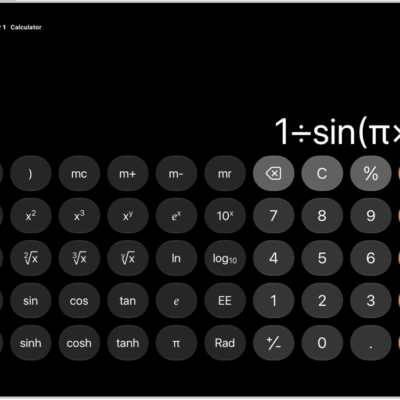
How to use the scientific calculator on iPad
You can use the scientific calculator on iPad for exponential, logarithmic, and trigonometric functions, with stored values and constants.

How to enter formulas and equations in Notes on iPad
You can enter formulas and equations in Notes on iPad, solve math inline, assign variables, and create graphs.
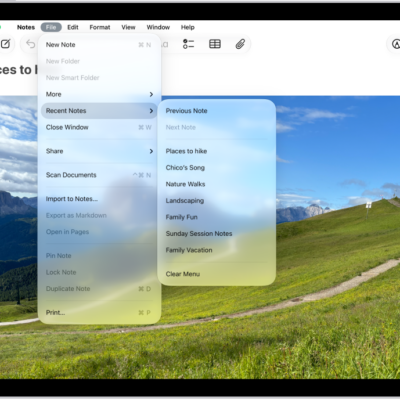
How to change the Notes view on iPad
You can change the Notes view on iPad, add lines or grids, view notes as a list or gallery, and see all attachments in one place.
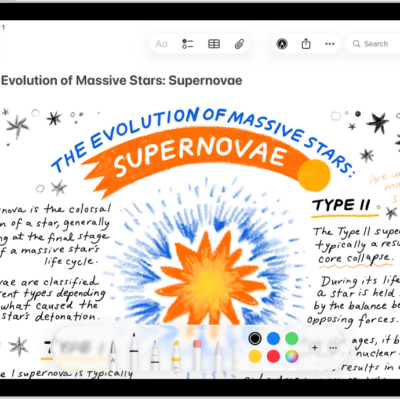
How to add drawings and handwriting in Notes on iPad
You can add drawings and handwriting in Notes on iPad with Apple Pencil or your finger, use Markup tools, and refine your handwriting.

How to pair and charge Apple Pencil (USB-C) with iPad
You can pair and charge Apple Pencil (USB-C) with iPad through the USB-C connector, and check its battery level.

How to pair and charge Apple Pencil (1st generation) with iPad
You can pair and charge Apple Pencil (1st generation) with iPad through the Lightning or USB-C connector.

How to pair and charge Apple Pencil (2nd generation) with iPad
You can pair and charge Apple Pencil (2nd generation) with iPad by attaching it to the magnetic connector, and check its battery.
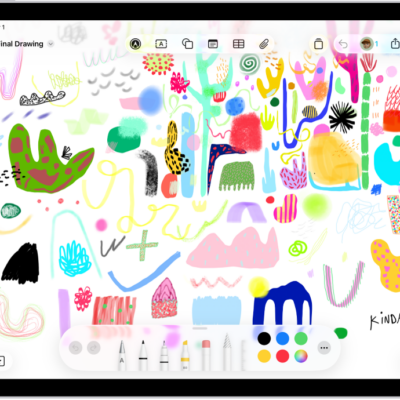
How to draw with Apple Pencil on iPad
You can draw with Apple Pencil on iPad, apply shading by tilting it, double-tap to switch tools, and squeeze Apple Pencil Pro.

How to pair and charge Apple Pencil Pro with iPad
You can pair and charge Apple Pencil Pro with iPad by attaching it to the magnetic connector, and check its battery level.
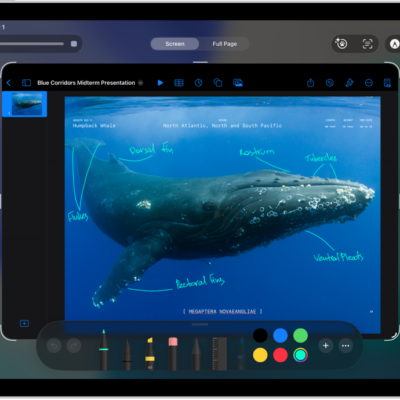
How to take and mark up a screenshot with Apple Pencil on iPad
You can take and mark up a screenshot with Apple Pencil on iPad, then share it with others or use it in documents.