









GeeksModo Story Archive - October 2026

How to connect iPad to Bluetooth accessories
You can connect iPad to Bluetooth accessories, pair and rename them, and unpair or disconnect an accessory.
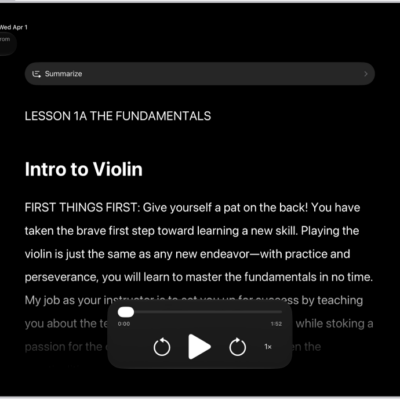
How to read or listen to text in apps with Accessibility Reader on iPad
You can read or listen to text in apps with Accessibility Reader on iPad, customize fonts and colors, and use Apple Intelligence.

How to type braille directly on the iPad screen with VoiceOver
You can type braille directly on the iPad screen with VoiceOver using Braille Screen Input, without a physical braille keyboard.
How to customize VoiceOver gestures and keyboard shortcuts on iPad
You can customize VoiceOver gestures and keyboard shortcuts on iPad, add a gesture to a command, and reset VoiceOver commands.
How to use VoiceOver on iPad with an Apple external keyboard
You can use VoiceOver on iPad with an Apple external keyboard, using keyboard shortcuts for VoiceOver commands and VoiceOver Help.
How to use VoiceOver gestures on iPad
You can use VoiceOver gestures on iPad to move around the screen and control individual items with taps and swipes.
How to write with your finger in VoiceOver on iPad
You can write with your finger in VoiceOver on iPad using handwriting mode, to enter text, your passcode, and open apps.
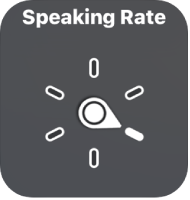
How to control VoiceOver using the rotor on iPad
You can control VoiceOver using the rotor on iPad to adjust volume and speaking rate, move between items, and customize rotor settings.
How to change your VoiceOver settings on iPad
You can change your VoiceOver settings on iPad, including volume, language, speaking voice, speaking rate, and verbosity.
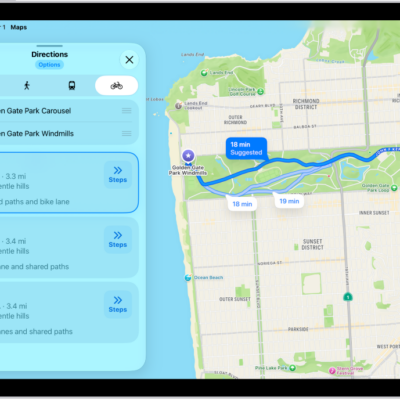
How to get cycling directions in Maps on iPad
You can get cycling directions in Maps on iPad on bike paths and bike-friendly roads, preview elevation, and avoid hills or busy roads.