Use the Find My app to let a friend know when your location changes. You can also get a notification when your friend’s location changes.
You choose when your friend hears from you, for example when you arrive at or leave a location. You can also see all notifications about you, and turn them off whenever you want.
Here’s how to notify a friend when your location changes in Find My on iPhone.
Notify a friend when your location changes
- Start the Find My app on your iPhone.
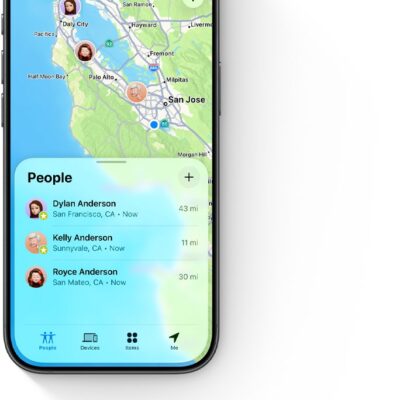
- Tap People, tap the name of the person you want to notify, and then tap the More button.
- Below Notify [your friend’s name], tap Add Location Alert.
- Choose whether you want to notify your friend when you arrive at or leave a location.
-
Choose a location, or tap New Location to create a new location and set a location radius.
With a larger radius, your friend is notified when you’re near the location instead of right at the location.
- Choose whether you want your friend to be notified only once or every time.
- Tap the Done button.
At any time, you can stop notifying friends when your location changes.
See all notifications about you
- Start the Find My app on your iPhone.
-
Tap Me.
A list of people who are notified when your location changes appears below Alerts on My Location.
Note: If you don’t see the Alerts on My Location section, you aren’t notifying any friends when your location changes.
- Tap a name to see more details.
Turn off notifications about you
You can turn off any location notification about you, including notifications you set and notifications your friends create.
- Start the Find My app on your iPhone.
-
Tap Me.
Below Notifications About You, you see a list of people who are notified when your location changes.
If you don’t see the Notifications About You section, you aren’t notifying any friends when your location changes.
- Select a name and tap a notification.
- Tap Delete Notification and tap Delete Notification again.