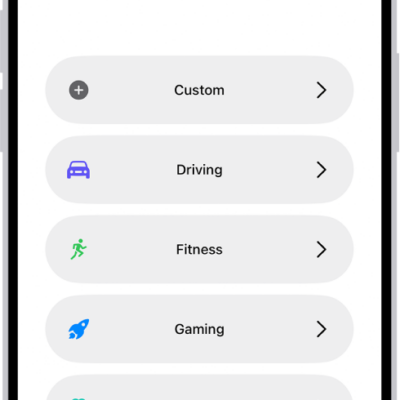
To use a Focus, you can turn it on directly in Control Center, or schedule it to turn on automatically. When you turn one on in Control Center, you can choose when it ends.
If another Focus is already on, it turns off when you turn on the new one. You can also turn a Focus on or off using Siri, and turn off or delete a Focus.
Here’s how to turn on or schedule a Focus on iPhone.
Turn on a Focus in Control Center
- Open Control Center, tap Focus, and then tap the Focus you want to turn on (for example, Do Not Disturb).
Note: If another Focus is already on, it turns off when you tap the new one.
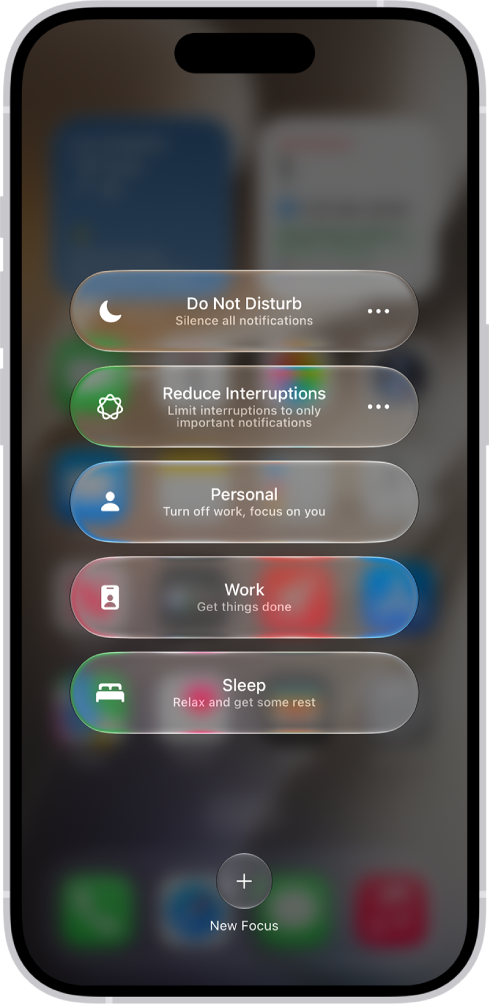
- To choose an ending point for the Focus, tap the Do Not Disturb button and select an option (such as For 1 hour or Until I leave this location). Then tap the Do Not Disturb button again.
With a Focus on, its icon shows up in the status bar and on the Lock Screen (for Do Not Disturb, for example, that’s the Do Not Disturb button), and the Messages app automatically displays your status. Anyone who tries to send you a message sees that you’ve silenced notifications, though they can still notify you if something is urgent.
Note: Turning a Focus on or off also works from the Settings app, by tapping Focus, tapping the Focus, and then turning it on.
Schedule a Focus to turn on or off
You can schedule a Focus to turn on when you open a specific app, when you’re at a particular location, or at certain times.
- Open the Settings app on your iPhone.
- Tap Focus and then tap the Focus you want to schedule.
If a time appears below Set a Schedule, you can tap it to set a schedule for turning the Focus on and off.
- Tap Add Schedule and then set the times, a location, or an app you want to activate this Focus.
Note: A Sleep Focus follows the sleep schedule you set in the Health app once you set it up. Tap Open Sleep in Health to add or edit a sleep schedule, or to change your next bedtime and wake-up time.
Turn a Focus on or off using Siri
You can use Siri to turn a Focus on or off.
Siri: Ask Siri something like, “Turn on the Work Focus.”
Turn off a Focus
To allow notifications again once you’re finished using a Focus, you can turn it off quickly. Even after you turn it off, that Focus still appears in Control Center and can be reused.
- Do any of the following:
- Touch and hold the Focus icon on the Lock Screen.
- Open Control Center, then tap Focus.
- Tap the Focus that’s on to turn it off.
Delete a Focus
- Open the Settings app on your iPhone.
- Tap Focus, tap the Focus you no longer need, scroll to the bottom of the screen, and then tap Delete Focus.
If you delete a provided Focus, you need to set it up again by going to the Settings app, tapping Focus, then tapping the Add button.