How to get wallpaper suggestions in Photos on iPhone
You can get wallpaper suggestions for your Lock Screen or Home Screen that stylize photos of your favorite people and pets. They’re in the Photos app, below Wallpaper Suggestions in Collections, and you can use any of them as your wallpaper.
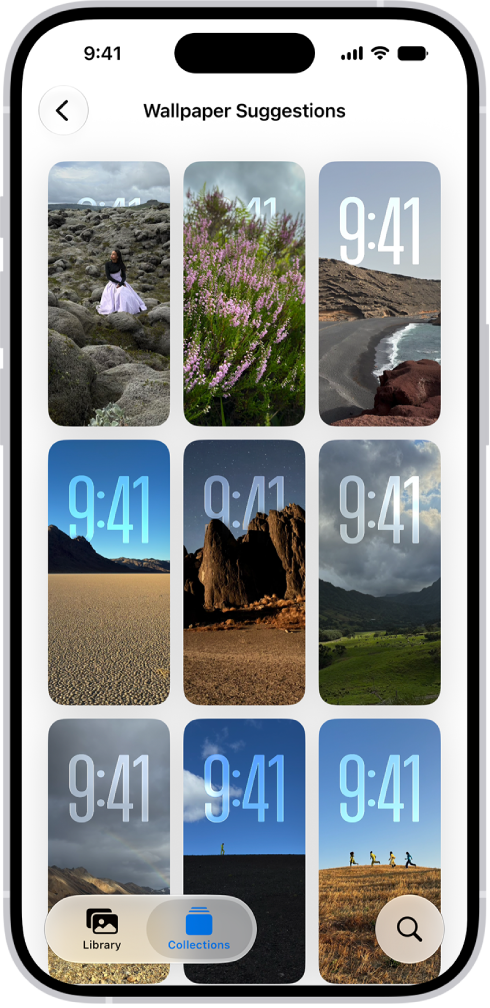
- Open the Photos app on your iPhone.
- Tap Collections.
- Swipe up and tap a suggested wallpaper (below Wallpaper Suggestions).
Read Next
You can allow access to features like Control Center, widgets, and media controls on the iPhone Lock Screen.
You can share an iCloud calendar on iPhone with other iCloud users, let them edit events, or share a read-only calendar with anyone.
You can turn on Wi-Fi Calling on iPhone to make and receive calls over a Wi-Fi network when your cellular signal is low.