Use the Photos app to view photos and videos on your iPhone.
You can open a photo to view it in full screen, then keep browsing, or use the thumbnails below the photo to quickly jump forward or back. On iPhone 12 or later, you can view the photo with a 3D effect using Spatial Scene. To focus on the photo you’re viewing, you can hide the controls onscreen. Videos play right in Photos, too.
Here’s how to view photos and videos on iPhone.
View photos
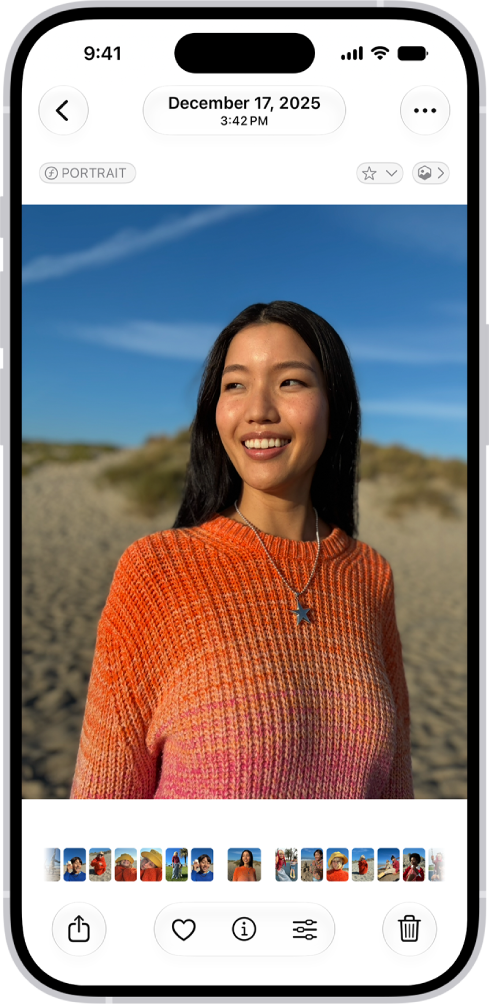
- Start the Photos app on your iPhone.
- Tap a photo to view it in full screen. Tip: Tap the Spatial Scene button, then move your iPhone in your hand to view the photo with a 3D effect (available on iPhone 12 or later).
- Swipe left or right on the photo to keep browsing, or swipe the thumbnails below the photo to quickly jump forward or back.
- Tap the Back button to close the photo and return to the library or collection.
Quick tip: Tap the photo you’re viewing to hide the onscreen controls and focus on it, then tap it again to show the controls.
Play videos
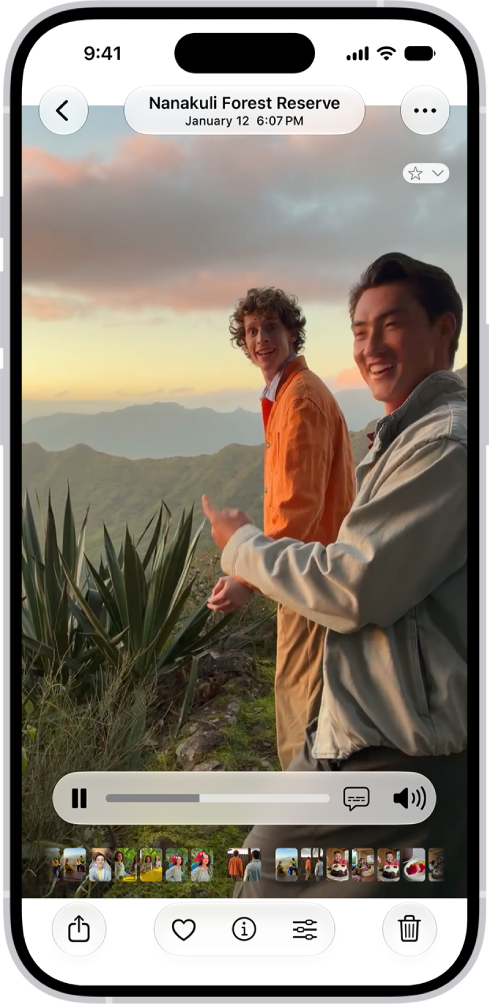
- Start the Photos app on your iPhone.
- Tap a video to play it. As the video plays, you can pause the video, or drag the gray bar to go forward or back in the video.
- Tap the Back button to close the video and return to the library or collection.
Tag: Photos