The Mindfulness app on your Apple Watch encourages you to set aside a few minutes a day to focus, center, and connect as you breathe.
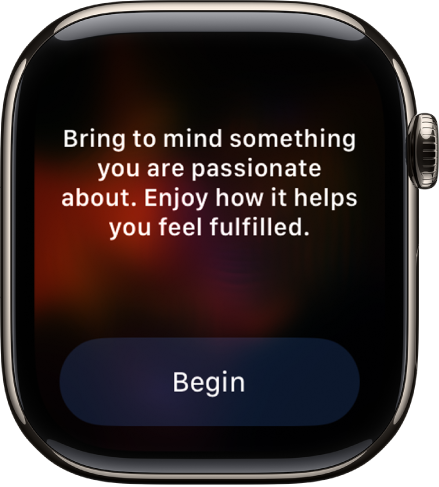
In a Reflect session, you read a theme and focus your attention, and in a Breathe session, you inhale as the animation grows and exhale as it shrinks. Sessions last between 1 and 5 minutes.
Here’s how to start a Reflect or Breathe session on Apple Watch.
Start a Reflect or Breathe session
- Start the Mindfulness app on your Apple Watch.
- Do one of the following:
- Start a Reflect session: Tap Reflect, read the theme, focus your attention and then tap Begin.
- Start a Breathe session: Tap Breathe, inhale slowly as the animation grows. Exhale as it shrinks.
To end a session before it completes, swipe right, then tap End.
Set the duration of a session
- Start the Mindfulness app on your Apple Watch.
- Tap the More Options button next to Reflect or Breathe.
-
Tap Duration, then choose an option.
You can choose a time between 1 and 5 minutes.
Adjust mindfulness settings
Mindfulness reminders can come as frequently as you choose, and you can change your breath rate, choose haptics settings, and mute mindfulness reminders for the day.
- Start the Settings app on your Apple Watch.
- Tap Mindfulness and then do any of the following:
- Set mindfulness reminders: Below Reminders, turn Start of Day and End of Day on or off; tap Add Reminder to create additional reminders.
- Get or stop a weekly summary: Turn Weekly Summary on or off.
- Mute mindfulness reminders: Turn on Mute for today.
- Change your breath rate: Tap Breath Rate to change the number of breaths per minute.
- Choose haptics settings: Tap Haptics, then choose None, Minimal, or Prominent.
You can also open the Apple Watch app on your iPhone, tap My Watch, tap Mindfulness, then adjust a setting.
See your heart rate during mindfulness sessions
Complete a Reflect or Breathe session. Your heart rate appears in the Summary screen.
- Start the Mindfulness app on your Apple Watch.
-
Complete a Reflect or Breathe session.
Your heart rate appears in the Summary screen.
You can also review your heart rate later. Go to the Health app on your iPhone, tap Browse, tap Heart, then tap Heart Rate. Tap Show More Heart Rate Data, swipe up, then tap Breathe.
See also