Apple Watch includes apps for a variety of communication, health, fitness, and timekeeping tasks. You can install apps you have on your iPhone and get new apps from the App Store.
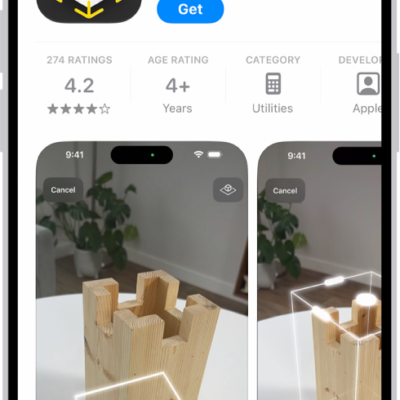
In the App Store, you can get details about an app including screenshots, ratings, reviews, accessibility support, privacy information, file size, age ratings, and more. You pay with the payment method associated with your Apple Account, and you can get automatic downloads and updates.
Note: When you use Apple Watch with cellular service, cellular data charges may apply.
Discover and find apps
- Start the App Store app on your Apple Watch.
- Do any of the following:
- Browse apps and collections: Scroll down or turn the Digital Crown.
- Search: Tap the Search button, enter what you’re looking for and tap Search. You can search by app name, category, developer, and more.
- Tap an app to see the details.
Buy and download an app
- Start the App Store app on your Apple Watch.
-
Go to the app you want and tap Get (if the app is free) or the price.
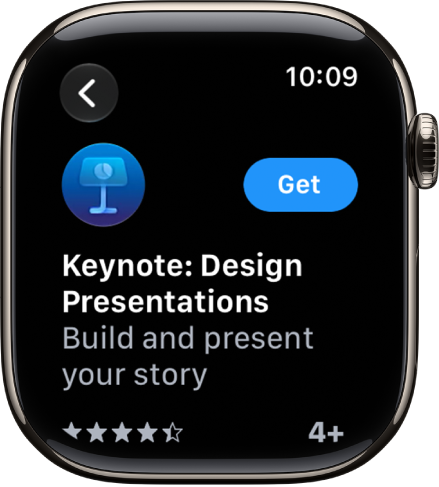
If you see the Download button, you’ve already purchased the app. You can download it again without a charge.
-
Double-click the side button to complete your purchase.
Purchases are made with the payment method associated with your Apple Account.
Get automatic downloads and updates
- Start the Settings app on your Apple Watch.
- Tap App Store. Adjust any of the following settings:
- Automatic Downloads: Automatically install the watchOS version of free and paid apps purchased on other devices.
- Automatic Updates: Automatically download new versions of your apps when they’re available.
You can also go to the Apple Watch app on your iPhone, tap My Watch, then go to App Store.
Install apps you already have on iPhone
When they’re available, the watch-compatible versions of your iPhone apps install on Apple Watch automatically by default. You can also pick specific apps to install.
- Start the Apple Watch app on your iPhone.
- Tap My Watch and tap Apps. Then scroll down to Available Apps.
- Tap Install next to the apps you want to install.
See your purchase history
- Start the App Store app on your Apple Watch.
- Scroll to the bottom and tap Account. Tap Purchased.
See also