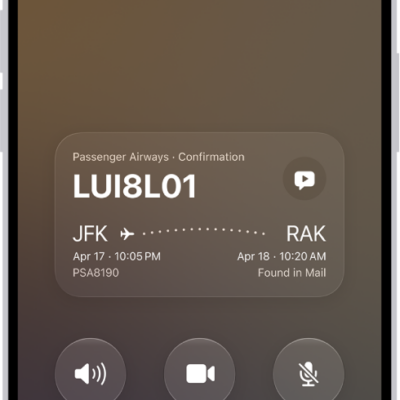
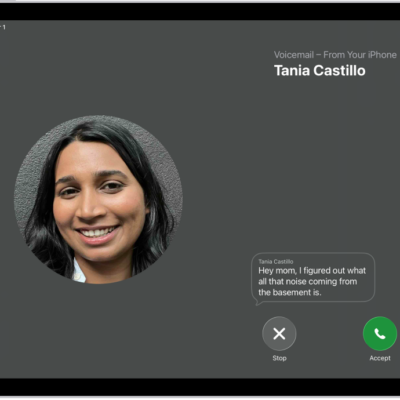
Use the Phone app to listen to, delete, read, share, or get a summary of your voicemail messages. You can also check your voicemail messages when Visual Voicemail isn’t available.
You can also share a message, or recover a deleted one. A transcription of each voicemail appears in the bottom half of the screen. Your messages stay until you delete them, unless your carrier erases them first when they aren’t stored in iCloud.
Play, share, or delete a voicemail message
Siri: Ask Siri something like, “Play the voicemail from Eliza.” Learn how to use Siri.
Or without using Siri:
- Open the Phone app on your iPad.
- Tap Voicemail, then tap a message.
-
Do any of the following:
-
Play the message: Tap the Play button.
Messages are saved until you delete them (or until your carrier erases them, if they’re not stored in iCloud).
- Read a transcript of the message: A transcription of the voicemail appears in the bottom half of the screen.
- Share the message: Tap the Share button.
-
Delete the message: Tap the Delete button.
Important: In some countries or regions, deleted messages may be permanently erased by your carrier. Your voice messages may also be deleted if you change your SIM card.
-
Play the message: Tap the Play button.
To recover a deleted message, tap Deleted Messages, tap the message, then tap the Undelete button.
Quick tip: Apple Intelligence can show you Siri suggested actions based on the transcript, such as adding a reminder or creating a calendar event. To choose whether you see these suggestions, go to Settings > Apps > Phone and turn Suggestions in Voicemail on or off.
Siri suggested actions are available in English. Apple Intelligence on iPadOS 27 or later is available on an Apple Intelligence-enabled iPad mini (A17 Pro) and iPad models with M1 or later. Apple Intelligence is not available in all languages or regions. Usage limits may apply.*
Check your messages when Visual Voicemail isn’t available
- On your iPad: Tap Voicemail, then follow the instructions.
- On another phone: Dial your own mobile number, press * or # (depending on your carrier) to bypass your greeting, then enter your voicemail password.
*Apple Intelligence is available with Siri and device language set to Chinese (Simplified), Chinese (Traditional), Danish, Dutch, English, French, German, Italian, Japanese, Korean, Norwegian, Portuguese, Spanish, Swedish, Turkish, or Vietnamese. Some features may not be available in all regions or languages. Some devices may not be available in all regions. Siri AI is available in beta in iOS 27, iPadOS 27, macOS 27, watchOS 27, and visionOS 27 and requires an Apple Intelligence–enabled device set to a supported language. Available in English to start. Siri AI will not be initially available in the EU on iOS, iPadOS, and watchOS. Certain Apple Intelligence features that rely on server-side models are subject to daily usage limits, including but not limited to Siri AI, Intelligent Photo Editing Tools, Image Playground, and AFM 3 Cloud models in Shortcuts. Daily limits may vary by feature, request complexity, system demand, system policies, and other factors. Expanded access to such features will be available for a fee in the future. Use of these features is subject to the Apple Intelligence Terms and Conditions.
See also